






Описание
NIGHTWARD MCP — VERIFIABLE AI AUTOMATION FOR UNREAL ENGINE
AI agents make the edit. Nightward proves it worked—or rolls it back
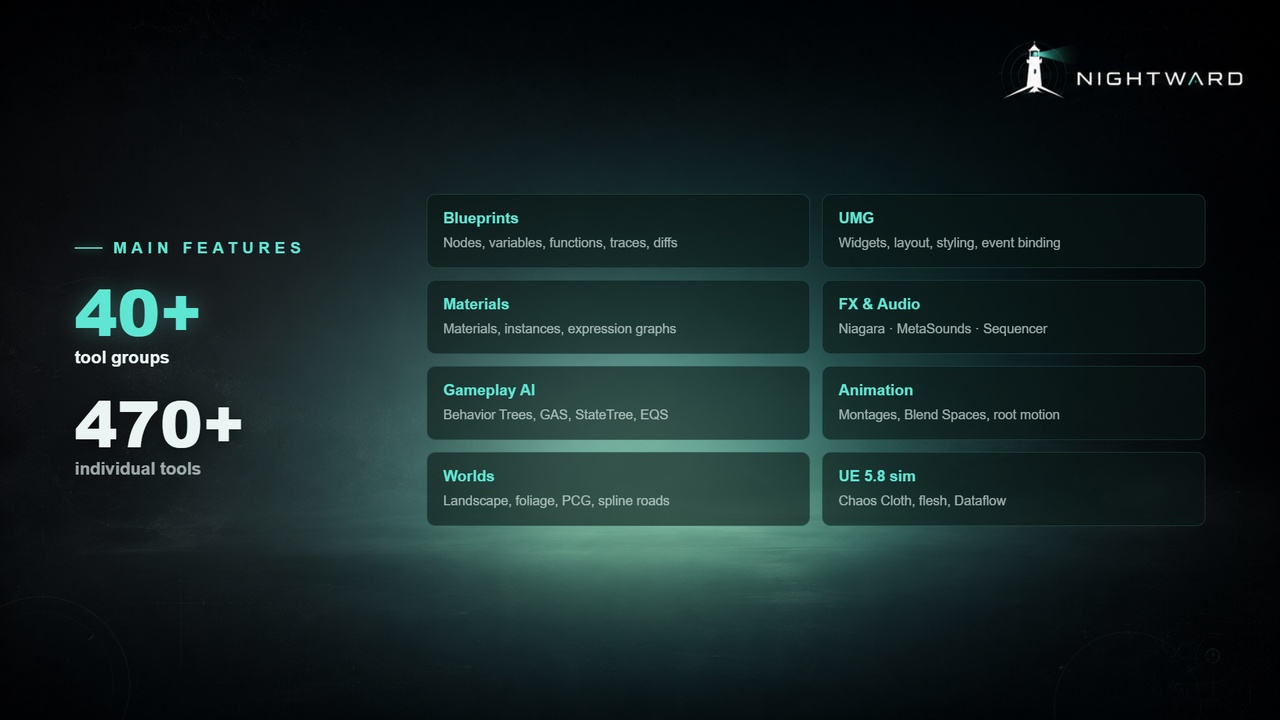
Claude Code, Cursor, Cline, Codex, Claude Desktop, and other MCP-compatible clients can build directly inside Unreal Engine through Nightward’s 470+ tools and 42 tool groups.
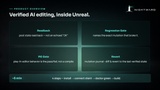
The difference is what happens after the agent makes a change. Nightward verifies edits through live readbacks, diffs, compilation, Play-In-Editor checks, regression tests, logs, screenshots, save-and-reload validation, and recovery paths.
WHY NIGHTWARD IS DIFFERENT
AI makes mistakes. Nightward makes those mistakes visible, testable, and recoverable.
Agents can misunderstand requests, call the wrong tool, silently do nothing, create invalid asset data, or report success before the work is actually complete.
Nightward makes those mistakes visible, testable, and recoverable.
Where applicable, every edit can run through a verification pipeline:
Apply the change in the live editor
Read back the actual result—not the echoed request
Compare it with the previous state
Compile the affected asset
Test the behavior in Play-In-Editor
Run regression checks
Confirm saved asset data survives a reload
Identify the change responsible for a failure
Roll back to the last known-good state
Every operation records what changed, what passed, and what failed. Operations known to corrupt an asset or crash the editor are refused, with a safer manual path provided instead.
No blind edits. No silent no-ops. No unverified “done.”
WHAT YOUR AGENT CAN BUILD
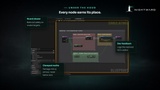
Blueprints and UMG interfaces
Materials and material instances
Niagara and MetaSound systems
Animation montages, Blend Spaces, and Animation Blueprints
Behavior Trees, State Trees, EQS, and Gameplay Abilities
Landscapes, foliage, PCG, and Geometry Script
Level Sequences
Chaos Cloth, Outfit, Flesh, and Dataflow workflows
Unreal Insights, automation tests, source control, and editor tools
BUILT FOR UNREAL
Nightward uses native C++ execution inside the editor. MCP is the transport layer; edits run through typed in-engine commands using Unreal’s underlying editor systems.
A mutation journal tracks supported changes for inspection, failure attribution, and rollback.
Destructive operations are restricted through server-enforced safety profiles rather than relying only on the AI agent to behave correctly.
YOUR AI, YOUR PROJECT
Nightward uses your existing AI client and provider configuration.
It does not require:
A Nightward subscription
A Nightward API key
A separate cloud account
Project data to pass through Nightward servers
PRICING
Founder Launch Price: $34.99
Standard Price: $49.99
Pay once. Own forever.
Full C++ source
Free updates
No subscription
Discord support
GETTING STARTED
Install the plugin, then give your AI agent the included setup prompt.
Your agent can configure the bridge, install required dependencies, register Nightward with your AI client, launch Unreal Editor, and verify the connection. Setup can also be completed manually.
Once connected, ask your agent to build something. You can request readbacks, diffs, logs, screenshots, compilation results, and validation evidence showing that the change worked.
REQUIREMENTS
Unreal Engine 5.4–5.8.
Python. It's used by the setup tools. If it is missing, your agent can install it after requesting permission.
A small Runtime module is included for Nightward Behavior Tree task nodes intended for packaged games.
Plugins: all stock Unreal, nothing to download. EnhancedInput, Metasound, and IKRig are already on in every project (plus PCG on 5.8). Installing Nightward enables the rest: EditorScriptingUtilities (required to run at all), then one per tool domain — GameplayAbilities (also linked by the Runtime module above), GameplayStateTree (also enables StateTree), GeometryScripting, ChaosClothAsset, ChaosClothAssetEditor, ChaosFlesh, HairStrands, PropertyBindingUtils, PCG on 5.4–5.7, ChaosOutfitAsset on 5.8. Each pulls its own stock dependencies — a dozen or more per engine version (USD Importer, Live Link, Concert), all first-party.
LIMITATIONS
Concurrent multi-agent editing
Full automated profiler analysis
Mesh import
SUPPORT & DOCS
Full documentation is available HERE.
Discord #support: https://discord.gg/rTwHxcGnHg.
Reachable through Fab's seller contact.
Full source means you're never blocked on us for a fix.
Tags: Unreal MCP, Claude Desktop, AI, Unreal Engine, Unreal Engine Plugin, Editor Tool, Workflow Automation, Productivity Tool, Procedural Generation, Environment Generation, PCG, Level Design, World Building, Blueprint Tools, Technical Art, Game Development, Dev Tools, Content Creation, Pipeline Optimization, Editor Utility, Environment Tools, tool, intelligence, AI Integration Kit, MCP, Model Context Protocol, ChatGPT, OpenAI API, Claude, Anthropic, AI Agent, LLM, Artificial Intelligence, Plugin, Utility, AI Assistant, Copilot, Blueprint Automation