
الوصف
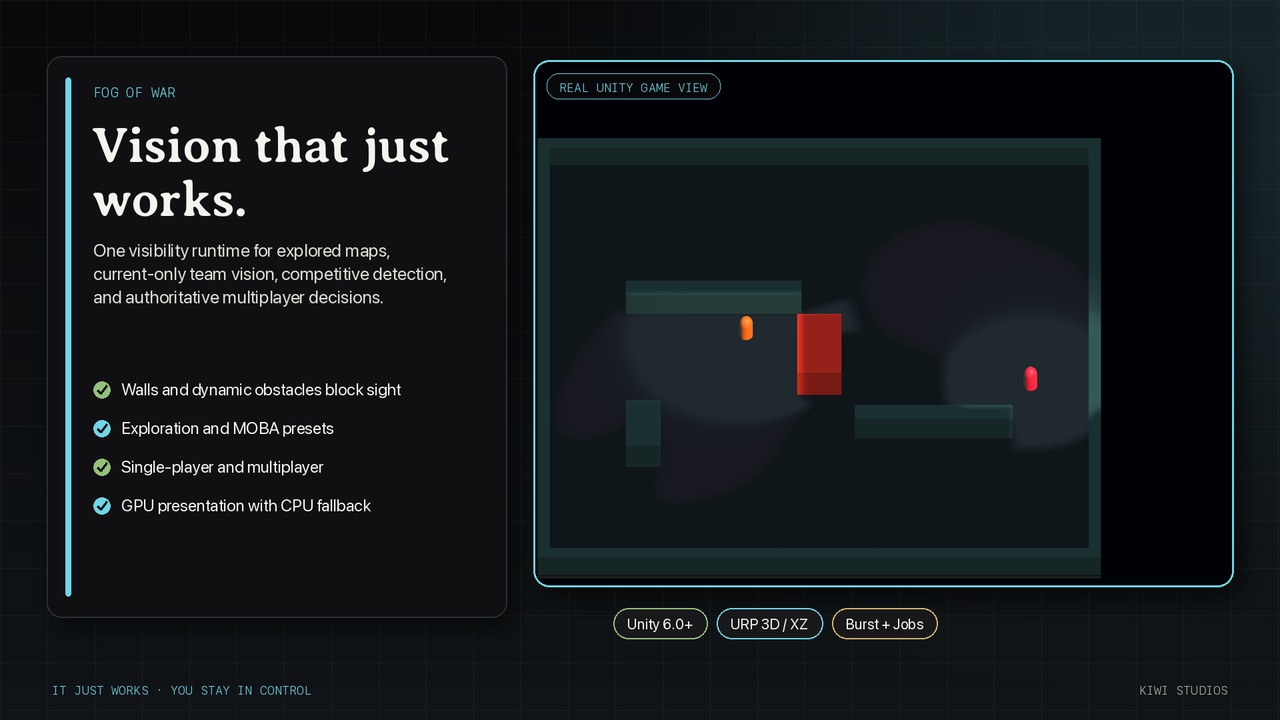
Build visibility rules once, then use the same deterministic results for rendering, gameplay queries, targetability, action authorization, and optional server interest management.
Fog of War is a production-focused Unity 6 URP toolkit for 3D strategy, tactics, stealth, and competitive games. It combines depth-aware fog presentation with deterministic line of sight, data-driven vision and target archetypes, dynamic occlusion, exploration persistence, and optional secure networking adapters.
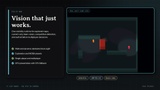
Two complete visibility models
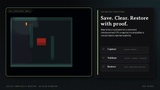
Exploration preserves Visible, Explored, and Unexplored states and can save validated exploration history.
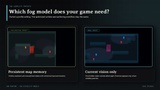
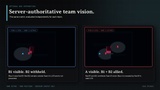
MOBA uses current-team vision only, so areas return to one hidden state when allied sight leaves.
Switch the model on the world profile without replacing the runtime, authoring workflow, or visibility-query API.
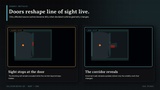
Line of sight that respects the world
Burst and Jobs supercover LOS reveals the blocking cell, prevents diagonal leaks, and clamps map edges.
Per-source caches recalculate only when a source, relevant obstacle, or rule changes.
Deterministic static bakes and increment-safe dynamic obstacles support live doors and moving blockers.
Exact Box, Sphere, and Capsule occlusion supports layered 3D gameplay LOS while visual fog projects onto XZ worlds.
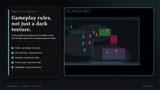
Competitive vision rules
Expandable FogVisionArchetype and FogTargetArchetype ScriptableObjects
Personal and shared team vision with 128 visibility or detection channels and 64 gameplay LOS layers
Circle and cone sensors, planar or 3D distance, unobstructed sight, and nearsight
One-way brush, opaque, and detection-only concealment volumes
Camouflage, stealth, true sight, proximity reveal, obscured presentation, forced reveals, and last-known state
Authoritative targetability, action authorization, complete visibility queries, and reusable interest deltas
Rendering and performance
The primary URP renderer is depth-aware. It reads the camera depth texture, reconstructs visible opaque world positions, projects them into the fog bounds, and blends fog before post-processing. Terrain, stairs, floors, doors, and walls receive fog at their rendered height without an elevated fog plane.
The GPU backend composes visibility, optional exploration, temporal smoothing, and blur with reusable buffers and no synchronous readback. Unsupported compute platforms use the Burst CPU fallback with reusable texture uploads. Runtime visibility queries remain CPU-authoritative regardless of the presentation backend.
Single-player and multiplayer
Each FogWorld is independent and supports its own observer context without a singleton. Use the same deterministic simulation locally or on an authoritative server.
The optional Netcode for GameObjects sample uses NetworkShow and NetworkHide so unauthorized clients do not receive hidden NetworkObjects. The optional Netcode for Entities sample drives GhostRelevancy fail closed. Custom transports can consume reusable interest-delta lists. Clients render their own fog; textures and visibility grids are never synchronized as a substitute for authority.
Fog of War supplies visibility decisions and optional interest-management adapters. Your game remains responsible for authentication, transport lifecycle, unit data, ability triggers, and action execution.
Guided setup that keeps you in control
The traditional .unitypackage installs Fog of War as an embedded Unity Package Manager package at:
Packages/net.kiwistudios.fogofwar
The temporary installer removes itself after Package Manager registers the product.
On first editor load, Fog of War checks the configured URP Universal Renderer assets. When setup is required, a custom scrollable window lists every affected renderer, its complete asset path, and every project-level change.
Apply Changes adds or repairs FogRendererFeature, assigns the depth-aware shader, enables the feature, requests camera depth, and saves the affected renderer assets.
Cancel leaves the project untouched.
When no Universal Renderer is configured, Open Graphics Settings opens Project Settings > Graphics, while Later makes no changes.
Renderer setup creates no scene objects and imports no samples.
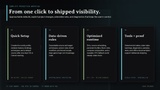
Use Tools > Kiwi Studios > Fog of War > Quick Setup for the complete scene setup path. After the same renderer confirmation, Quick Setup creates or repairs the FogWorld, balanced profile, camera bindings, recommended archetypes, and a default vision source. Re-running it is idempotent and repairs the existing setup instead of creating duplicates.
Included samples
Seven opt-in Unity Package Manager samples are included: six scene-based examples and one Netcode for Entities code-integration sample. They are intentionally not imported automatically.
To import a sample:
Open Window > Package Manager.
Select In Project, then Fog of War.
Expand Samples.
Click Import beside the sample you want.
Unity imports only the selected sample, normally under:
Assets/Samples/Fog of War/x.y.z/<Sample Name>
Included samples:
Basic Showcase — Exploration presentation
MOBA Vision — Team A and Team B current-vision perspectives
Competitive Vision — brush, stealth, true sight, obscured vision, nearsight, modifiers, last-known state, and forced reveals
Dynamic Obstacles — runtime door occlusion and cached LOS invalidation
Exploration Persistence — capture, clear, serialize, validate, and restore explored-area snapshots
Netcode for GameObjects Integration — authoritative interest management using NetworkShow and NetworkHide
Netcode for Entities Integration — code integration with authoring components, fail-closed GhostRelevancy, assembly gating, and setup documentation
The five non-networking scene samples require only Fog of War and its declared URP dependencies. The two networking samples require their matching optional Unity networking packages.
Gallery-to-sample mapping
Overview and Exploration presentation — Basic Showcase
Exploration and MOBA models — Basic Showcase and MOBA Vision
Team perspectives — MOBA Vision
Dynamic door occlusion — Dynamic Obstacles
Brush, stealth, true sight, nearsight, and modifiers — Competitive Vision
Versioned exploration persistence — Exploration Persistence
Server-authoritative interest management — Netcode for GameObjects Integration
Setup and production workflow — Quick Setup and any imported scene sample
Supported scope and technical information
Package version: 26.9.0
Minimum Unity: 6000.0.0f1
Render pipeline: Universal Render Pipeline only
World mode: 3D with XZ presentation
Backends: GPU compute and Burst CPU fallback
Unity dependencies: Burst 1.8.26, Collections 2.2.0, Mathematics 1.3.2, Core Render Pipeline 17.0.3, Universal Render Pipeline 17.0.3, Physics module 1.0.0
Optional integrations: Netcode for GameObjects or Netcode for Entities; neither is a core dependency
Use one Unity netcode stack per project
Not included: Built-in Render Pipeline, HDRP, XY or 2D presentation, minimap rendering, Mirror, or FishNet adapters
Offline documentation: setup, API, competitive vision, persistence, networking, performance, troubleshooting, upgrade, and Unity 7 planning
Product site: https://kiwistudios.co/software/packages/
Support: [email protected]
Asset uses Unity Burst, Collections, Mathematics, Core Render Pipeline, Universal Render Pipeline, and Physics under Unity's applicable package licenses; see Third-Party Notices.txt in the package for details.
Official trailer