





描述
HEAVY SCENES. KEEP CREATING.
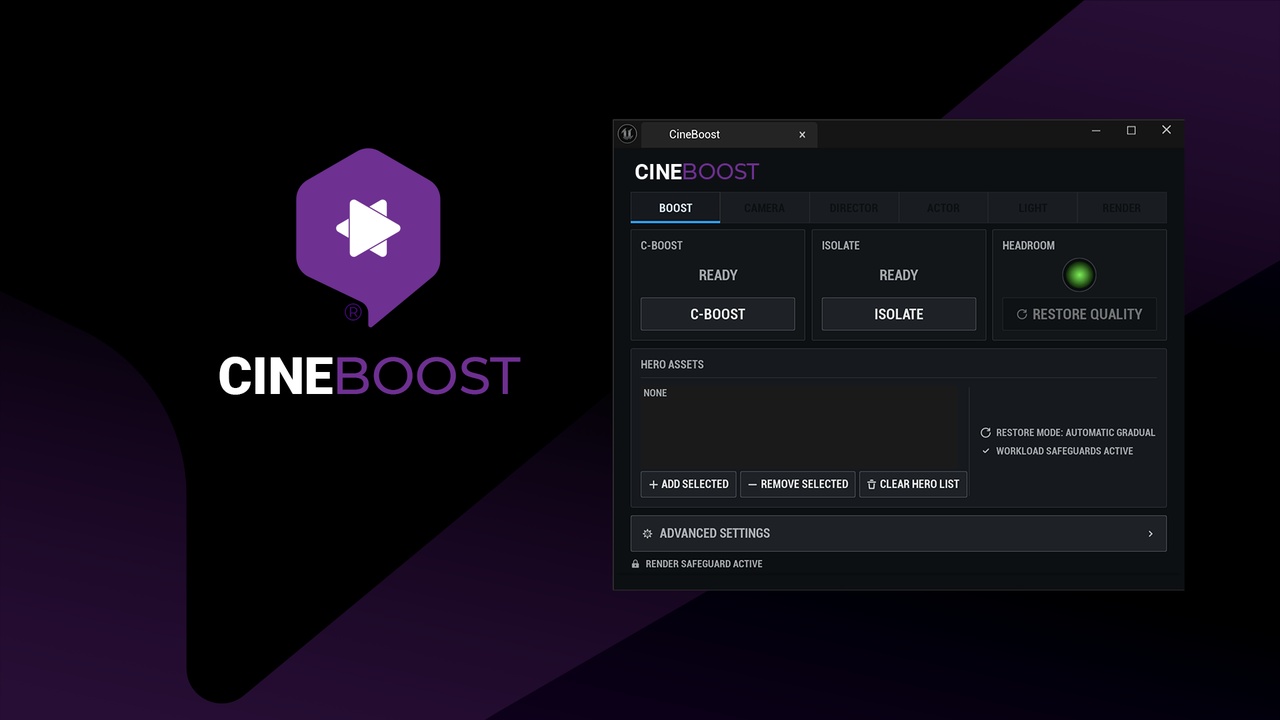
CineBoost is a practical, editor-only workflow tool for cinematic artists working with demanding Unreal Engine scenes. When a scene becomes too heavy to edit comfortably, CineBoost provides quick, reversible work modes that reduce configurable viewport workload without requiring you to dismantle the scene or manually track every temporary change.
C-BOOST applies a configurable working profile to reduce non-essential viewport workload. Adjustable temporary work lighting can keep dark scenes comfortable to edit while C-BOOST or ISOLATE is active.
ISOLATE keeps the current selection and designated Hero actors visible while temporarily hiding other scene actors. Viewport selection and the Hero list remain coordinated for faster add-and-remove workflows.
The Headroom indicator provides an at-a-glance working status. Restore Quality returns CineBoost-managed settings to their recorded values for full-quality visual review.
KEY FEATURES
• Configurable C-BOOST mode for temporary viewport workload reduction
• Adjustable temporary work lighting for dark C-BOOST and ISOLATE workflows
• ISOLATE mode for selected actors and a persistent per-project Hero list
• Coordinated viewport and Hero-list selection
• Headroom working-status indicator
• Immediate or gradual restoration of CineBoost-managed settings
• Movie Render Queue safeguard that restores temporary changes and prevents work modes from being activated during an active render
• Save and session safeguards for temporary working changes
• Editor-only operation with no runtime dependency in packaged games
• No accounts, telemetry, analytics, advertising, or external network services
COMPATIBILITY
• Unreal Engine 5.5, 5.6, 5.7, and 5.8
• Windows 64-bit
• C++ source code included
• CineBoost 1.0.0
• Tested with Unreal Engine 5.5.4, 5.6.1, 5.7.4, and 5.8.1
IMPORTANT
CineBoost is an editing aid. Results vary by scene, hardware, project configuration, and selected settings. It does not add hardware capacity, guarantee a frame-rate increase, prevent crashes, replace profiling, or replace project backups.
Use Restore Quality before final visual review and rendering.
Documentation:
https://www.starmentor.net/documentation/