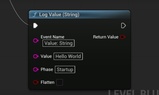
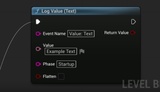
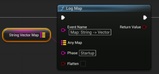
Description
Log anything from your game — scores, events, player stats, checkpoints — directly from Blueprints. Session Logger saves clean, structured logs you can read, search, and share.
Session Logger is a lightweight, zero-dependency logging plugin that lets you emit structured JSON Lines (JSONL) directly from Blueprints. Log any struct, array, map, or primitive (int, float, bool, string, name, text, byte, int64) with one node per case, plus a raw “Log Event (JSON)” sink when you already have JSON.
Perfect for gameplay telemetry, feature flags, analytics prototyping, QA breadcrumbs, or post-mortem debugging—without adding external SDKs.
Documentation and Setup Guide: https://rohanksaxena.github.io/UESessionLogger/
Please report any issues or feature requests here: https://github.com/rohanksaxena/UESessionLogger/issues
Download Demo Project: https://drive.google.com/file/d/1THopd2BDwNcgILBJnTCoOgJ2pAlSu-Vi/view?usp=drive_link
Key features
Blueprint-first API
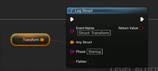
Log Struct (wildcard struct)
Log Array (wildcard array)
Log Map (wildcard map)
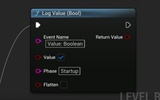
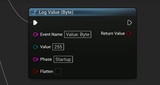
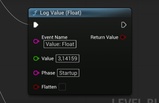
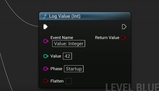
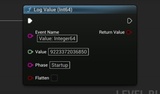
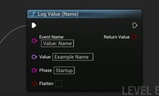
Log Value (int, float, bool, string, name, text, byte, int64*)
Log Event (JSON) (object/array/scalar JSON sink)
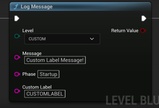
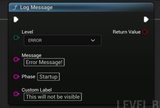
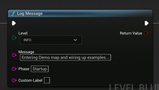
Log Message (level + free-text breadcrumb)
Flatten option
Turn nested data into dotted keys (e.g., meta.pos.x = 10) for easy spreadsheet/ELK ingestion.Safe int64 logging
int64 is recorded as a string to avoid IEEE-754 precision loss downstream.Automatic Session ID
A unique session is generated on first init; accessible from BP.Rotation & retention
File size caps, startup rotation, and periodic cleanup.No telemetry / no network
Writes locally to Saved/Logs/<Project>_sessions.jsonl, or a custome filepath. You own the data.Packaged builds supported
Same output path and format in Editor, Standalone, and packaged builds.Different message levels
Color-coded console echo for INFO, WARNING, and ERROR levels. Custom log levels supported with your own labels
Easily configurable
- Settings panel under Project Settings → Plugins → Session Logger
* Why string for int64? Many analytics stacks coerce large integers to doubles and lose precision; strings remain exact.
What you get
Format: JSON Lines (.jsonl) – one compact JSON object per line
Default Location: Saved/Logs/<ProjectName>_sessions.jsonl
Sample Output (pretty-printed JSON):
Each line in the log is one JSON object (we handle the formatting. No JSON knowledge required).
{
"project": "ASL_Demo",
"ts": "2025-10-04T23:25:55.166Z",
"session": "3CE7...BCD3",
"source": "unreal|L_Demo",
"event": "JSON Object",
"phase": "Startup",
"data": {
"score": 87,
"hp": 50,
"tags": ["tag1", "tag2"],
"meta": {
"stage": "intro",
"pos": { "x": 10, "y": 20 }
}
}
}
Quick start (Blueprints)
Enable the plugin (Session Logger).
In your Level Blueprint (e.g., Begin Play), call Init Logger once.
Use any of:
Log Value to log primitives.
Log Struct / Array / Map to log complex data.
Log Event (JSON) if you already have JSON text.
Log Message for simple breadcrumbs (INFO/WARN/ERROR/CUSTOM).
(Optional) Toggle Flatten when you want dotted keys.
Check Saved/Logs/<Project>_sessions.jsonl.
Delayed init pattern (when GI isn’t ready):
If you need to log during early GameInstance init, bind a timer that polls Is Logger Ready (see images), then emit logs when ready.
Compatibility
Unreal Engine: 5.4 – 5.7
Platforms: Win64 (declared). The code is platform-agnostic and should compile where standard file APIs are available.