Beschreibung
yShade - Easy Hand-Drawn Shading
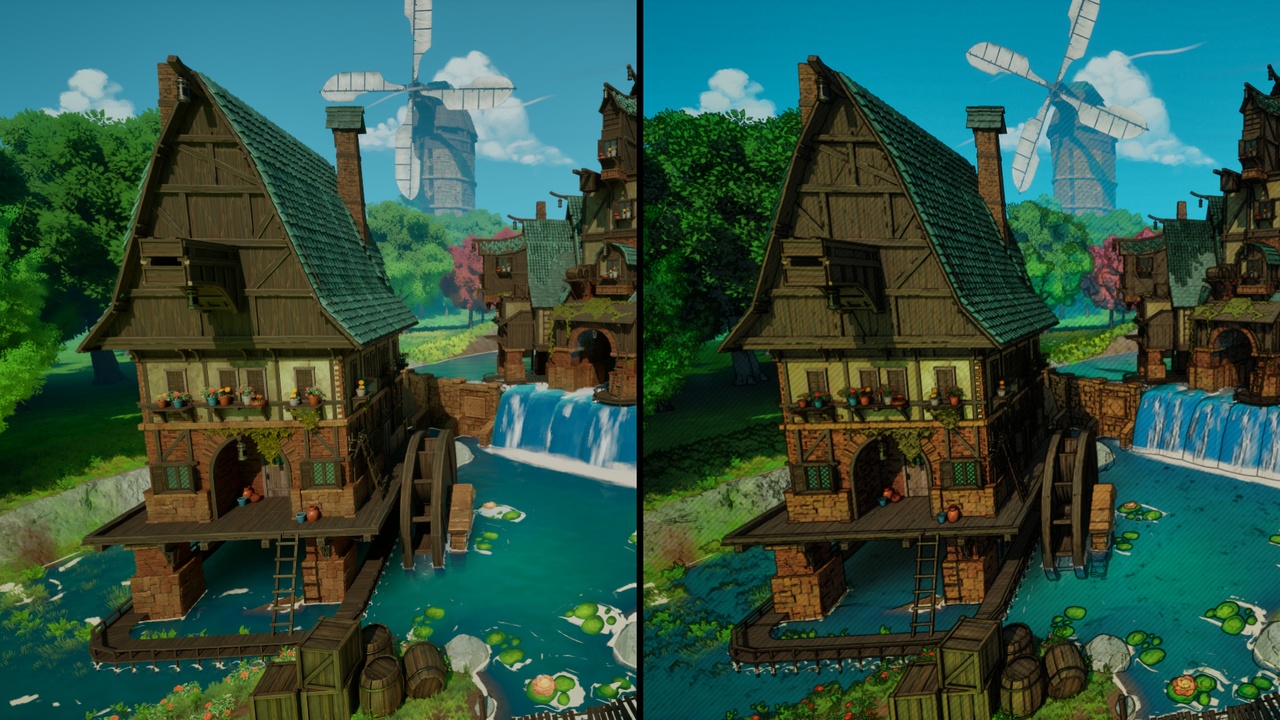
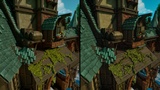
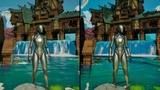
Create painterly, inked, storybook, gothic, pencil-wash, and animated illustration looks directly from your existing Unreal Engine scene.
yShade combines painterly color simplification, organic ink contours, illustrated shadow strokes, and procedural paper texture in one native C++ plugin.
NO SETUP ACTOR. NO MATERIAL FUNCTION. NO MATERIAL EDITS.
Enable the plugin, select a preset, and tune the result live from Project Settings. No Blueprint actor, Material Function, Post Process Material, Post Process Volume, or texture asset is required.
// WHY YSHADE IS EASY TO INTEGRATE
No required Blueprint setup actor.
No Material Function added to parent materials.
No replacement materials or channel hijacking.
No required textures, maps, or content assets.
Existing opaque materials retain their textures and properties.
Ink, strokes, grain, and paper fibers are generated procedurally in shaders.
Live Project Settings controls with presets and factory reset.
Blueprint, C++, Actor Component, and console-variable APIs.
The color, ink, shadow-stroke, and paper features can be adjusted independently. Use a clean animated look, subtle painted treatment, heavy gothic ink, pencil wash, or combine every feature into a complete illustrated rendering pipeline.
// PAINTERLY COLOR TREATMENT
The color pass transforms existing scene lighting into controlled, illustrated color regions while retaining the original scene, materials, and lighting setup.
Features include:
Adjustable overall style strength.
Optional color simplification.
Adjustable color levels and transition softness.
Saturation and contrast controls.
Independent shadow and highlight tints.
Adjustable tint strength.
HDR-aware processing that preserves bright scene lighting.
Optional sky treatment.
Soft painted transitions or bold animated color regions.
// ORGANIC INK CONTOURS
Generate expressive outlines directly from deferred scene data.
Features include:
Silhouettes detected from scene depth.
Interior form lines detected from world normals.
Optional material boundaries detected from base-color differences.
Adjustable ink color, thickness, and opacity.
Independent depth, normal, and color-edge thresholds.
Procedural line-thickness variation.
Adjustable broken-line character.
Distance fading for cleaner wide shots.
No per-material outline setup is required.
// HAND-DRAWN SHADOW STROKES
Add illustrated texture to darker parts of the scene.
Four procedural stroke styles are included:
Diagonal Pencil
Crosshatch
Loose Scribble
Stipple
Stroke controls include:
Adjustable shadow threshold.
Stroke strength and spacing.
Screen-space or world-space projection.
Independent screen-pixel and world-unit scale.
Adjustable stroke irregularity.
Screen-space strokes provide a consistent graphic treatment for animated scenes.
World-space strokes remain attached to static surfaces.
The plugin does not use a temporal history buffer for stroke stabilization, avoiding temporal motion trails.
// PROCEDURAL PAPER FINISH
Add subtle physical-media character without importing texture assets.
Features include:
Fine paper grain.
Broad tonal variation.
Directional paper fibers.
Adjustable grain strength and scale.
Adjustable fiber strength.
Adjustable paper warmth.
Fully procedural shader implementation.
// READY-MADE PRESETS
Storybook Ink
Soft Painted
Bold Animation
Dark Gothic
Pencil Wash
Off
Presets are editable starting points, not locked modes.
The settings page also includes a factory-reset control with Undo support.
// FAST SETUP
Enable yShade and restart Unreal Editor.
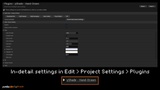
Open Project Settings > Plugins > yShade - Hand-Drawn.
Select Storybook Ink or another preset.
Enable the hand-drawn pass.
Tune the paint, ink, shadow strokes, and paper finish.
Play or package the project.
Settings update live in supported editor viewports. No yShade actor needs to be added to a level.
// RUNTIME CONTROL
Project-wide defaults through Project Settings.
Blueprint-callable world subsystem.
Optional Actor Component for temporary world overrides.
Public C++ settings, component, and subsystem APIs.
Enable or disable the effect during gameplay.
Replace the complete settings structure at runtime.
Restore project defaults for the current world.
Console variables under r.YShade.HandDrawn.*.
// DEBUG VIEWS
Ink Mask
Shadow Stroke Mask
Paper Pattern
World Normals
Scene Depth
Debug views help identify which part of the rendering pass needs adjustment without changing scene materials.
// CONSOLE VARIABLES
r.YShade.HandDrawn.Enabled
r.YShade.HandDrawn.Strength
r.YShade.HandDrawn.Ink
r.YShade.HandDrawn.InkThickness
r.YShade.HandDrawn.Strokes
r.YShade.HandDrawn.Paper
r.YShade.HandDrawn.Debug
// TECHNICAL INFORMATION
Product type: Unreal Engine Code Plugin.
Version: 1.0.0.
Engine version: Unreal Engine 5.4.
Locally validated: Win64, DirectX 12, SM6.
Modules: one Runtime module and one editor-only module.
Public C++ classes: 3.
Required Blueprint actors: 0.
Required Material Functions: 0.
Required materials and textures: 0.
External dependencies: none.
Development and Shipping builds: supported.
C++ and shader source included.
Factory default: disabled to prevent unexpected visual changes after installation.
// REQUIREMENTS AND LIMITATIONS
Deferred Shading and SM5 or newer are required.
Forward Shading and mobile rendering are not currently supported.
The effect is designed primarily for opaque deferred-rendered surfaces.
Translucent materials are not processed like opaque geometry.
World-space strokes remain fixed in world space and may slide across translating meshes.
Use Screen stroke space for animated characters when world-space sliding is undesirable.
Blueprint-only projects require a supported native compiler when packaging from source.
Test every target platform and RHI used by your project.
// INCLUDED
Runtime and editor C++ source.
Painterly color, organic ink, shadow-stroke, and procedural paper shader.
Project Settings integration.
Five visual presets and an Off preset.
Factory-reset control with Undo support.
Blueprint and C++ runtime APIs.
Optional Actor Component.
Console variables and debug views.
Getting Started, Runtime API, and Packaging documentation.
Characters, environments, meshes, materials, and other assets shown in promotional media are not included.
This product creates a general illustrated rendering treatment. It does not include third-party characters, game assets, trademarks, or proprietary artwork.
// DOCUMENTATION AND SUPPORT
Created by yureka.dev
Copyright (c) 2026 Yureka. All Rights Reserved.