설명
The console you already use, everywhere it doesn't exist. Fuzzy command palette for
packaged builds — search and run 9,000+ cvars, commands, exec functions and cheats.
Everything works in PIE. Then you package the build — and the console is gone.
Unreal strips its own `~` console from Shipping, and even in Development builds it is
a bare input box: you have to already know the exact name of what you want. Runtime
Dev Console replaces that with the tool you use in your code editor every day — a
fuzzy command palette.
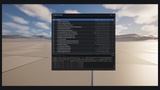
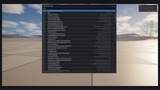
Press Ctrl+Shift+P in your packaged game. Type `screenper`. There it is —
`r.ScreenPercentage`, current value shown, Enter to run. That's the whole learning curve.
Search everything that can run
- 9,000+ console variables and commands, enumerated live with help text and
current values
- Your `UFUNCTION(Exec)` functions — with their real signatures, read via
reflection: `FOV (NewFOV: float)`
- Cheat Manager functions (C++ and Blueprint) — the plugin even spawns the cheat
manager for you when needed
- Your own commands — register a name from Blueprint, get an event when it runs
Built for how debugging actually works
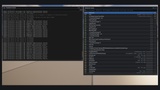
- Log tail — the last 512 log lines with verbosity colors and a text filter,
docked under the palette or popped out into its own movable, resizable window that
stays up while you play
- Watch overlay — pin any cvar (or any object property, or values pushed from
Blueprint) to an always-on corner readout. Pins persist across sessions
- Presets — bundle the commands you always type into one palette entry
(`RDC.Preset.SaveFromHistory PerfCheck 3`). Presets are JSON files: copy the file,
share the workflow
- Bug report bundles — `RDC.BugReport` writes one folder: screenshot, build
version & CL, OS/CPU/GPU, current map, your last 20 commands, watch values and the
last 200 log lines. Path lands on the clipboard. QA sends the folder; you stop
asking "which build was that?"
- Undo safety net — `RDC.RevertAll` restores every cvar you touched to its
pre-session value
Drops in, stays out of the way
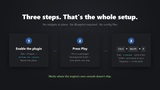
- Pure C++, no content, nothing to place in your levels — enable the plugin and press
the hotkey
- History and favorites (★) persist per project; favorites sort to the top
- Automatic Game-and-UI input handling while open (optional), optional pause-while-open
- The hotkey is a Slate preprocessor chord — fully rebindable, never binds gameplay keys
- Zero cost while closed
- Built-in diagnostic: launch with `-rdcselftest` and the plugin verifies its own
22-point pipeline — support round trips become one email
Honest support matrix
Development packaged builds: everything. Shipping (opt-in setting, off by default):
palette, cvars, commands and your Exec functions still work — the engine itself strips
its cheat manager and logging, and the docs say exactly that. Test configuration
requires a source-built engine. Win64, UE 5.6 / 5.7 / 5.8.
Roadmap (updates included)
Inline value widgets (toggle/slider on cvar rows) · gamepad navigation · touch/mobile ·
UE 5.4 back-compat · remote (client→server) execution — in the order you ask for
them. Leave a review with your top pick.
Pairs with [Runtime Details Panel] — browse and edit UObject properties in packaged
builds. This console runs commands; that panel edits properties. Together they are the
packaged-build debugging suite.