



Beschreibung
DGOneGizmo is a professional measurement, visualization, and runtime transform editing plugin for Unreal Engine 5, built for level designers, environment artists, technical artists, and technical designers.
Its core promise: see it clearly, validate it quickly, trust it confidently — even in dense production scenes.
✨ Why DGOneGizmo
📐 Instant spatial clarity
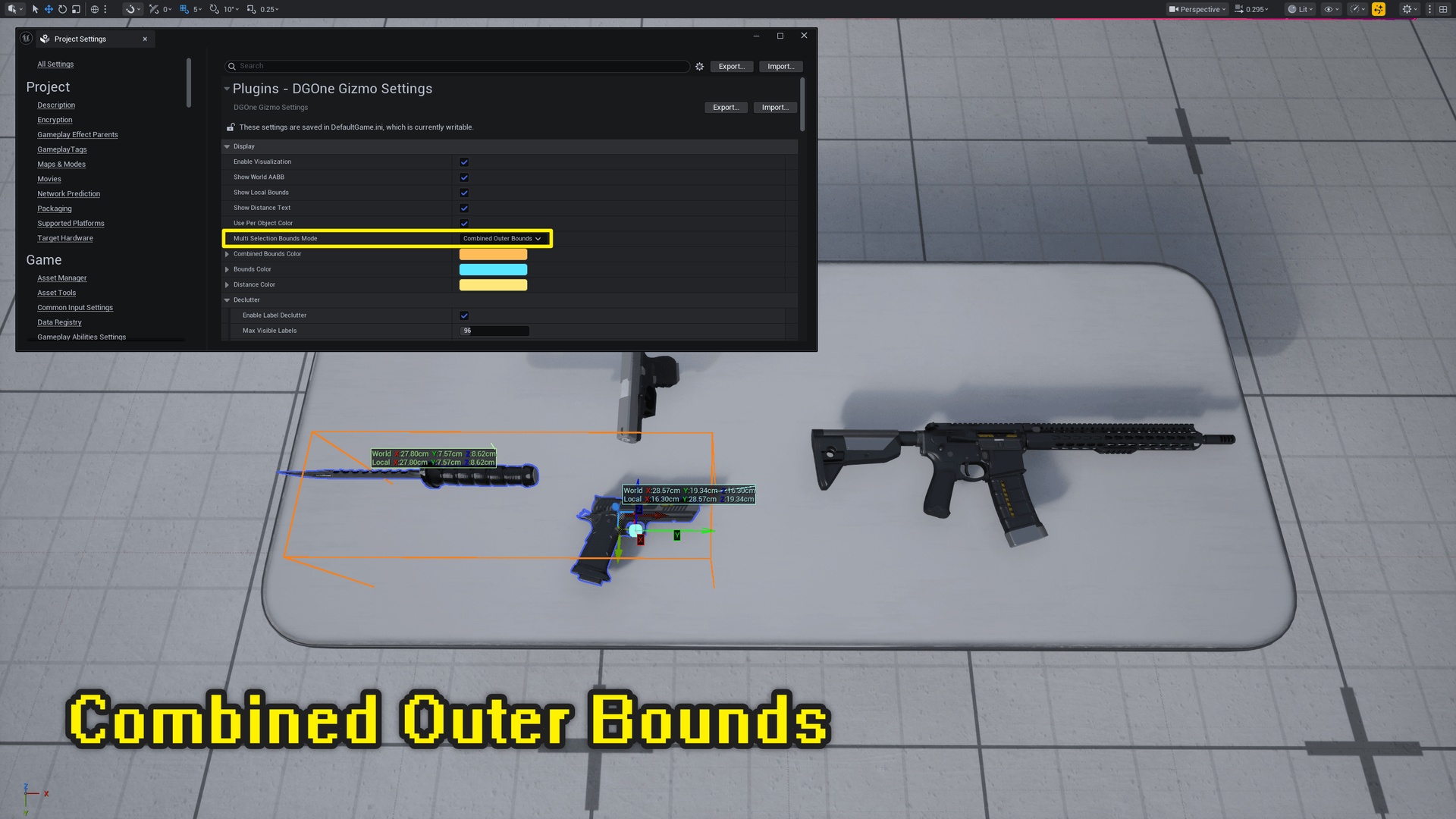
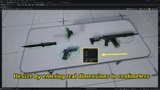
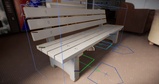
Visualize World AABB and Local Bounds side by side to compare real scene occupancy against source asset dimensions. Surface area and volume readouts are available at a glance, with configurable decimal precision and full unit support (cm / m / km / in / ft).
🧠 Readable in crowded scenes
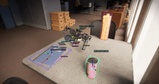
A smart declutter pipeline — priority ordering, screen-space ring placement, and +N cluster hints — keeps on-screen readouts legible under load. Tune max visible labels, ring count, and vertical offset from a single settings panel.
🎨 Component-level color mapping
Different Primitive Components on the same Actor get stable, vivid, auto-separated colors, with matching wireframe and label colors for instant pairing.
🧭 Axis-aware visualization
RGB X / Y / Z local axes show orientation and relative extent at a glance. Options include distance-adaptive line thickness, occlusion-aware dashed rendering, arrowheads, and a soft overlay pass to stay readable through geometry.
🔎 High-contrast text readability
Semi-transparent text backgrounds, optional leader lines, panel borders, and axis-colored dimension text improve contrast over busy materials and bright environments.
⚙️ Centralized project settings
Over 100 configurable parameters — visualization, declutter, tracing, skeletal snapping, cross-section, runtime gizmo, and refresh cadence — all in one Project Settings panel.
🧩 Core Features
Bounds Visualization
World AABB and Local Bounds overlays with dimension labels
Multi-selection: individual bounds per object or combined outer AABB
Surface area and volume display
Always-on-top rendering option; soft overlay and occlusion-aware rendering styles
Distance-adaptive line thickness; configurable max draw objects (up to 2048)
Two-Point Distance Measurement
Temporary preview and persistent session storage
Euclidean distance plus axis deltas (ΔX / ΔY / ΔZ)
Skeletal mesh vertex snapping (imported vertices or CPU-skinned animated pose)
Editor depth picking with collision trace fallback; configurable trace channel
Gap Measurement (surface-to-surface)
Two-click workflow: select Actor A, then Actor B
Iterative closest-point projection computes the minimum surface-to-surface distance automatically
Configurable iteration count (4–64); works with convex and concave shapes
Angle Measurement
Three-click workflow: first ray point → vertex → second ray point
Arc visualization at the vertex with configurable segments and radius
Persistent storage alongside distance and gap measurements
Cross-Section Measurement
Three plane definition modes: Two-Click Midpoint Normal, Click + Camera Normal, Interactive Plane Widget
Closed contour loop extraction from StaticMesh and SkeletalMesh geometry
Cross-sectional area computation (cm²) with on-screen text overlay
Engineering-style hatching: configurable spacing, angle, and cross-hatch option
Translucent plane disc visualization; skinned vertex support for animated skeletal meshes
Measurement Export
CSV and JSON export with configurable decimal places and unit
DataTable asset export (editor)
Optional surface normal inclusion per measurement point
Unified Eraser
Click-to-erase nearest measurement of any type (distance, gap, angle, cross-section)
Configurable pick tolerance; Clear All function
Blueprint Bounds Helpers
Per-object bounds query and combined bounds for multiple objects
Surface area and volume from bounds data
Unit conversion utilities; actor scale-to-target-size helpers
Cross-section computation and contour queries fully exposed to Blueprints
Runtime Transform Editing
Translate, Rotate, and Scale gizmos with X-ray foreground rendering
Axis and plane constraints; configurable handle sizes and hit radii
Pivot modes: Actor Origin, Component Bounds Center, Instance Center
Instanced Static Mesh support with per-instance transform editing
ADGOneRuntimeGizmoGameMode + ADGOneRuntimeGizmoPlayerController + ADGOneRuntimeGizmoPawn ready-to-use setup
Undo / Redo
Per-player transform history with configurable depth (up to 256 steps)
Ctrl+Z / Ctrl+Y (rebindable); full Blueprint API (CanUndo, CanRedo, GetDepth, Undo, Redo, Clear)
Event delegates: OnUndoExecuted, OnRedoExecuted, OnUndoHistoryCleared
Multiplayer Support
Server-validated transform RPCs with replicated actor whitelist (ADGOneRuntimeEditAuthorityActor)
Per-player undo/redo history; move-rate throttling and scale magnitude clamping
Client correction on authority mismatch
Editor Toolbar & Hotkeys
Dropdown menu: visualization toggle, persistent measure, eraser, gap, angle, cross-section, clear all, Set Size dialog
13 fully rebindable keyboard shortcuts from Project Settings
🎯 Ideal Use Cases
Clearance and traversal validation in level design
Modular asset size consistency checks across a scene
Scene dressing and scale calibration with immediate spatial feedback
Cross-section analysis for industrial visualization, digital twin, and previs workflows
Quick in-viewport distance and angle checks without leaving the level editing context
Runtime scene editing and spatial annotation in shipped products