Descripción
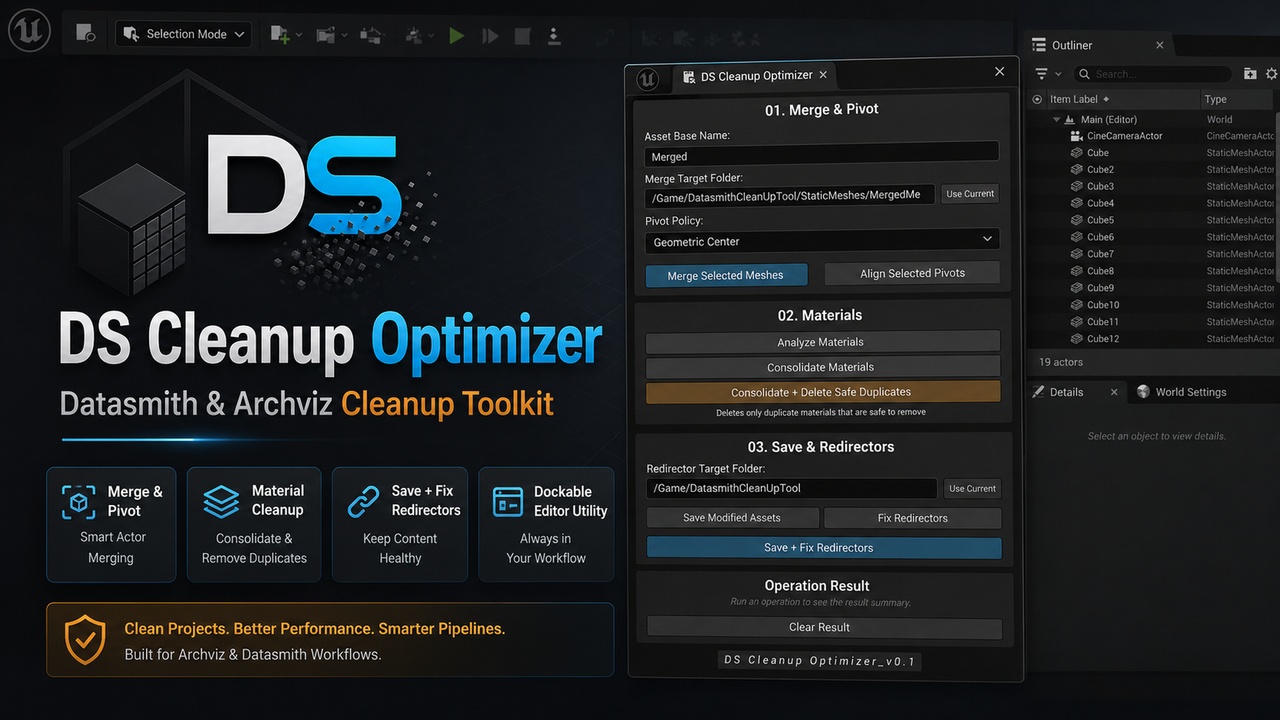
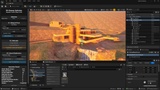
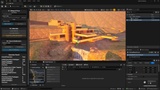
DS Cleanup Optimizer is an Unreal Engine editor utility plugin designed for Datasmith and Archviz cleanup workflows.
It provides a compact dockable Editor Utility Widget to help artists and technical users clean imported scenes faster, directly inside the Unreal Editor.
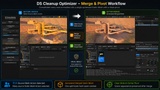
With DS Cleanup Optimizer, you can merge viewport / outliner selected Static Mesh Actors, align pivots, analyze material usage, consolidate equivalent duplicate materials, remove duplicate material assets through Unreal Engine's standard asset consolidation workflow, save modified packages, and fix redirectors in a selected target folder.
The plugin is focused on practical production cleanup tasks commonly needed after Datasmith and architectural visualization imports.
🎬Example Project Walkthrough
📑Documentation
Key features:
Dockable Editor Utility Widget
Automatic viewport/outliner selected Static Mesh Actor count
Hierarchy-aware selection processing for Datasmith scenes (Datasmith Scene Actors)
Merge viewport/outliner selected Static Mesh Actors into generated Static Mesh assets
Configurable output folder for merged assets
Pivot policies: Bottom Center, Geometric Center, and Top Center
Align pivots on viewport/outliner selected Static Mesh Actors
Analyze material usage on viewport/outliner selected actors
Detect equivalent duplicate material groups using safe equivalence checks
Consolidate equivalent duplicate material references
Remove duplicate material assets using Unreal Engine asset consolidation
Protect duplicate materials when Unreal Engine cannot safely consolidate them
Save modified project packages
Fix redirectors recursively in a target folder
Combined Save + Fix Redirectors workflow
Detailed operation result summaries
Valid /Game folder warnings
Tooltips and inline warnings for clearer editor use
Main workflows:
Merge & Pivot
Merge viewport / outliner selected Static Mesh Actors into a new generated Static Mesh asset using a configurable asset name, output folder, and pivot policy.
The tool supports practical pivot placement options for cleanup and optimization workflows:
Bottom Center
Geometric Center
Top Center
Materials
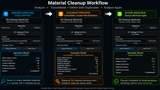
Analyze viewport / outliner selected Static Mesh Actors to inspect material slots, unique materials, material groups, and duplicate material candidates.
Material duplicate detection is based on safe equivalence checks, not only material names. The plugin compares relevant material properties such as parent material, base material, scalar parameters, vector/color parameters, and texture parameters before considering materials equivalent.
The Consolidate Materials workflow replaces equivalent duplicate material references with a canonical material without deleting assets.
The Consolidate + Delete Safe Duplicates workflow goes further by using Unreal Engine's standard asset consolidation process before removing duplicate material assets. This helps replace references to duplicate materials in loaded assets, components, and Datasmith-related data before the duplicate assets are removed.
If Unreal Engine cannot safely consolidate a duplicate material asset, the plugin keeps it protected and reports it in the Operation Result panel.
Save & Redirectors
Save modified project packages, fix redirectors in a selected folder, or run a complete Save + Fix Redirectors finalization workflow.
The combined Save + Fix Redirectors workflow runs:
Initial package save
Redirector cleanup in the selected target folder
Final package save
The Operation Result panel displays a detailed summary for each step, including success state, saved packages, fixed redirectors, remaining redirectors, and overall success.
Designed for:
Archviz artists
Datasmith users
Technical artists
Unreal Engine visualization teams
Environment artists working with imported scenes
Users who need faster scene cleanup after imports
Notes:
No content included - just the plugin (tool).
All "selected actors" dependent actions are meant for viewport / outliner selected static meshes and/or actors.
DS Cleanup Optimizer is an editor-only tool. It is not intended for runtime gameplay use.
The current version focuses on Static Mesh Actor cleanup, material analysis, equivalent duplicate material consolidation, duplicate material asset cleanup, package saving, and redirector fixing.
For Datasmith scenes, destructive cleanup operations are recommended after the scene has reached a cleanup or finalization stage. If you still rely on Datasmith reimport or Direct Link synchronization, source updates may recreate materials, restore assignments, or generate new duplicates depending on the source file and import settings.