Descrizione
Video | Doc | Support
━━━━━━━━━━━━━━━━━━━━━━━━━━━━━━━━━━━
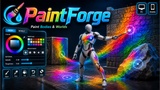
🎨 PaintForge — Runtime Mesh Painting & 3D Eyedropper (PC & Mobile)
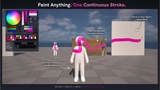
Paint ANY mesh at runtime — color, metallic & roughness — sample colors straight
from the world, and drive it all from a ready-made or fully customizable UMG UI.
Desktop and mobile. 100% Blueprint. Zero C++ required.
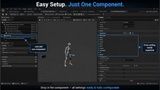
PaintForge is a complete, production-ready runtime painting toolkit. Drop a single
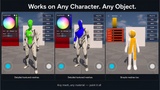
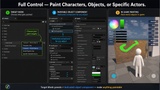
component on any actor and your players can paint its mesh live — characters, props,
vehicles, walls — in minutes. It ships with a working paint panel, a 3D world
eyedropper, undo / fill / clear, and a dedicated touch HUD, straight out of the box.
━━━━━━━━━━━━━━━━━━━━━━━━━━━━━━━━━━━━━━━━━
✨ KEY FEATURES
━━━━━━━━━━━━━━━━━━━━━━━━━━━━━━━━━━━━━━━━━
🖌️ Paint Anything at Runtime
One “PaintForge Paintable” component turns any mesh into a paintable surface —
skeletal characters and static props alike.
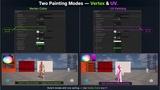
🧩 Three Painting Modes
• Texture — high-detail painting into render textures
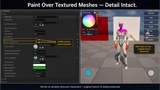
• Overlay — paint ON TOP, keeping the mesh’s original textures
• Vertex — UV-independent painting for mirrored / overlapping UVs
💧 3D Eyedropper (“World Spoit”)
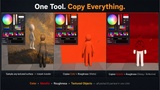
Sample the exact color you SEE anywhere in the level, plus metallic &
roughness from the hit surface. Works on PC AND mobile.
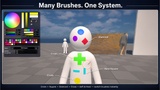
🎛️ Rich Brush System
Color, metallic, roughness, opacity, hardness, size and 11 brush shapes —
all in one tidy brush, fully driveable from Blueprint.
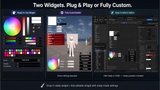
🪟 Ready-Made & Fully Custom UI
Use the built-in paint panel as-is, or build your own from designable blocks:
color wheel, value bar, swatch bar, brush sliders and one-click HUD buttons.
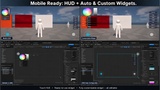
📱 Mobile / Touch Ready
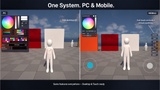
A dedicated touch HUD with virtual joysticks, two-finger orbit, pinch-zoom
and tap-to-paint. Flip one switch — the desktop flow stays untouched.
↩️ Undo, Fill & Clear
Per-surface undo history, flood-fill and clear — all exposed to Blueprint.
🧠 100% Blueprint
Every property, function and event is exposed. No C++ required.
━━━━━━━━━━━━━━━━━━━━━━━━━━━━━━━━━━━━━━━━━
📦 WHAT’S INCLUDED
━━━━━━━━━━━━━━━━━━━━━━━━━━━━━━━━━━━━━━━━━
✅ Runtime painting component (+ a streamlined component for world props)
✅ 3D eyedropper component
✅ Classic paint panel, designable palette & modular UI widgets
✅ Mobile touch HUD + virtual joysticks / camera stick
✅ Demo content: paintable character, materials, input setup & example map
✅ Full HTML documentation
━━━━━━━━━━━━━━━━━━━━━━━━━━━━━━━━━━━━━━━━━
⚙️ REQUIREMENTS
━━━━━━━━━━━━━━━━━━━━━━━━━━━━━━━━━━━━━━━━━
🔌 Enhanced Input — enabled automatically with the plugin.
🧱 To paint / color-pick on STATIC MESHES, enable:
Project Settings → Engine → Physics → “Support UV From Hit Results”
then restart the editor.
(Skeletal characters work without it — PaintForge resolves their UVs itself.)
📲 For packaged / mobile builds, enable “Allow CPU Access” on painted meshes.
━━━━━━━━━━━━━━━━━━━━━━━━━━━━━━━━━━━━━━━━━
🖥️ PLATFORMS & ENGINE
━━━━━━━━━━━━━━━━━━━━━━━━━━━━━━━━━━━━━━━━━
🪟 Windows / Desktop 📱 Mobile (Android / iOS touch)
🎮 Unreal Engine 5.6 • 5.7 • 5.8
━━━━━━━━━━━━━━━━━━━━━━━━━━━━━━━━━━━━━━━━━
📚 Docs: https://dztfix.com/_File/PaintForge/Doc.html
💬 Support: https://discord.gg/2BUnNxtKjv
━━━━━━━━━━━━━━━━━━━━━━━━━━━━━━━━━━━━━━━━━