

Descrição
🚀 SteamWS — Steamworks, Built the Unreal Way
SteamWS is a native Steamworks integration for Unreal Engine with extensive Blueprint and C++ access, It includes its own Steam-specific Online Subsystem implementation, built on Unreal Engine’s standard online framework, modern Steam networking and a complete set of editor tools.
Required Unreal Engine plugins: OnlineBase, OnlineSubsystem, and OnlineSubsystemUtils. They are included with Unreal Engine and enabled automatically when SteamWS is enabled.
What makes SteamWS different is its asset-driven workflow.
Achievements, stats, leaderboards, inventory definitions, Workshop items and publishing settings can be created as Unreal assets. Reference them directly in Blueprints instead of entering API names, ItemDef IDs and other identifiers manually throughout your project.
SteamWS does not depend on SteamCore or OnlineSubsystemSteam and does not require modifications to Unreal Engine source code.
✅ Key Features
✔️ Blueprint-first access across Steamworks interfaces
✔️ Public C++ integration API
✔️ SteamWS Online Subsystem
✔️ Asset-based achievements, stats and leaderboards
✔️ Advanced Steam Inventory authoring
✔️ Friends, avatars, presence and game invitations
✔️ Lobbies, matchmaking and multiplayer sessions
✔️ Steam Networking Sockets, Messages and P2P relay
✔️ Voice and microphone support
✔️ Workshop and UGC integration
✔️ Remote Storage and Steam Cloud
✔️ Steam Input support
✔️ Authentication, ownership and encrypted ticket APIs
✔️ Steam overlay and external UI
✔️ SteamPipe and SteamCMD workflow tools
✔️ Built-in validation, diagnostics and documentation
✔️ Windows 64-bit and Linux x86-64 support
🎯 Asset-Driven Steamworks
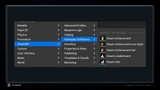
Create SteamWS assets directly from Unreal Engine’s Content Browser using the native right-click menu.
Supported asset workflows include:
Achievements and achievement sets
Achievement icon styles
Stats
Leaderboards
Inventory projects and items
Inventory rarities, tags and slots
Inventory pricing and presentation
Inventory dynamic properties
Inventory recipes and collections
Workshop items
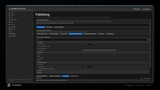
Publishing profiles
Asset-aware Blueprint nodes accept these references directly. Unlock an achievement, update a stat, access a leaderboard or request an inventory item without repeatedly typing identifiers as strings.
Reusable inventory assets make larger item catalogs easier to maintain. Shared rarities, pricing rules, visual definitions, tags, dynamic properties and recipes can be authored once and reused across multiple items.
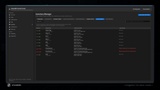
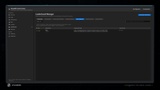
🛠️ SteamWS Control Center
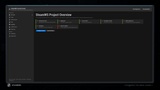
SteamWS includes a dedicated editor workspace for setting up and managing Steam integration.
The Control Center provides:
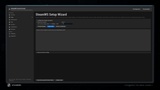
Guided App ID and project configuration
Steamworks SDK and runtime checks
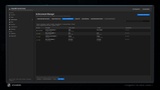
Achievement Manager
Stats Manager
Inventory Manager
Leaderboard Manager
Workshop Manager
Local and Steam definition comparison
Import and synchronization tools
Schema and manifest export
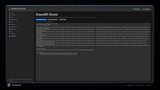
SteamPipe manifest generation
SteamCMD upload output
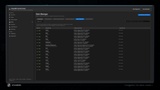
Project diagnostics
Release-readiness reports
Integrated documentation
The validation system detects missing identifiers, duplicate definitions, invalid references, icon problems, unsupported values and local-versus-Steam mismatches before release.
🎮 Blueprint-Accessible Steam Interfaces
Apps and DLC
Friends
HTML Surface
HTTP
Input
Inventory
Matchmaking
Matchmaking Servers
Music
Networking
Networking Messages
Networking Sockets
Networking Utilities
Parties
Parental Settings
Remote Play
Remote Storage
Screenshots
Timeline
UGC and Workshop
User
User Stats
Utilities
Video
Asynchronous operations use typed results, clear success and failure outputs, timeout handling and centralized callback lifetime management.
🔧 SteamWS Online Subsystem
SteamWS includes its own Unreal Online Subsystem compatibility layer.
Supported subsystem interfaces include:
Achievements
Cloud
External UI
Friends
Identity
Leaderboards
Presence
Sessions
Stats
Store
User
Voice
Projects can use the SteamWS Blueprint API directly, use the Online Subsystem layer, or combine both approaches.
🌐 Multiplayer and Networking
SteamWS provides support for:
Steam lobbies
Friend invitations
Session discovery
Listen-server connections
Steam P2P relay
Direct networking
Networking Sockets
Networking Messages
Connection status callbacks
Authentication tickets
Ownership verification foundations
Server browser queries
The networking APIs use Steam’s modern networking interfaces rather than relying only on legacy P2P functions.
📦 Inventory and Economy Workflow
SteamWS provides an Unreal-native authoring system for Steam Inventory ItemDefs.
Create reusable inventory definitions, validate relationships, compare local assets with Steam, import existing definitions and export Steam-compatible ItemDef JSON.
Supported workflows include:
Normal items
Bundles
Generators
Playtime generators
Exchange recipes
Promotional items
Store pricing
Tradable and marketable properties
Dynamic item properties
Tags and tag generators
Localized names and descriptions
Icon and presentation configuration
Reusable rarity and visual profiles
Item definition revision comparison
SteamWS keeps Unreal-only authoring data separate from the final Steam-compatible export.
📚 Documentation and Examples
The plugin includes:
Getting Started guide
Asset authoring guide
Blueprint recipes
Blueprint style guide
Generated Blueprint node reference
Compile-verified Blueprint showcase
Online Subsystem documentation
Security guidance
SteamPipe and publishing documentation
Troubleshooting guide
Steamworks API inventory
Documentation can be opened directly inside Unreal Editor through the SteamWS documentation viewer.
Product Support
Support: [email protected]