
Description
FoxSound — Music, Crossfade & Region Audio Toolkit
A production-ready audio toolkit for Blueprint projects. Crossfade music tracks, fade volume by tag, chain stingers, follow actors with looped SFX, and drive a complete region-based music system — combat, danger, peaceful — without building a custom audio subsystem.
Full documentation: https://alchemy-fox.de/sound/
Support: [email protected]
—————————————————————
WHAT'S INCLUDED
36 Blueprint Nodes | Region-Based Music System | Music Manager | Crossfade Helpers | Tag-Based Volume | Spatial Sound | Full C++ Source
—————————————————————
FEATURE CATEGORIES
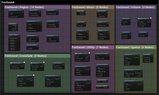
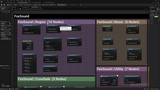
▸ Region (10 Nodes) RegisterSoundRegion, EnterSoundRegion, ExitSoundRegion, GetCurrentRegion, OverrideRegionTrack, ClearRegionOverride, PushRegionStack, SetCombatState, SetDangerState, SetRegionAmbientVolume
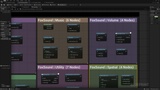
▸ Music (6 Nodes) PlayMusic, SwitchMusic, StopMusic, PauseResumeMusic, SetMusicVolume, IsMusicPlaying
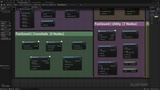
▸ Crossfade (5 Nodes) CrossfadeSounds, TransitionSound, PlaySoundWithFadeIn, StopSoundWithFade, StopSoundWithFadeOut
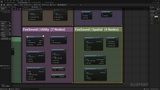
▸ Utility (7 Nodes) PlaySoundChain, PlaySoundLoopedWithDelay, PlaySoundWithRandomPitch, PlayRandomSoundAtLocation, StopAllSoundsOnActorWithFade, GetPlayingSoundCount, IsAnySoundPlayingOnActor
▸ Spatial (4 Nodes) PlaySoundAtActor, PlaySoundFollowingActor, GetNearestSoundSource, SetSoundRange
▸ Volume (4 Nodes) SetVolumeForTag, MuteUnmuteTag, FadeVolumeForTag, SetMasterVolume
—————————————————————
KEY FEATURES
Region Music System — Trigger volumes drive Music / Ambient / Combat / Danger tracks with peaceful/danger/combat states
Region Stack — Push and pop overrides for cinematics or stingers
Music Manager — Single playing track with switch / pause / resume / volume in one place
Crossfade Made Easy — CrossfadeSounds and TransitionSound with configurable fade-in / fade-out times
Tag-Based Mixing — Set volume, mute or fade by audio tag without touching individual sources
Sound Chains — PlaySoundChain plays a sequence with optional delays between clips
Attached SFX — PlaySoundFollowingActor for live-attached looped sounds
Random Helpers — PlayRandomSoundAtLocation and PlaySoundWithRandomPitch ship the classics
Zero Setup — Subsystem auto-initializes; just call the nodes
—————————————————————
BLUEPRINT NODES
Region — RegisterSoundRegion, EnterSoundRegion, ExitSoundRegion, GetCurrentRegion, OverrideRegionTrack, ClearRegionOverride, PushRegionStack, SetCombatState, SetDangerState, SetRegionAmbientVolume
Music — PlayMusic, SwitchMusic, StopMusic, PauseResumeMusic, SetMusicVolume, IsMusicPlaying
Crossfade — CrossfadeSounds, TransitionSound, PlaySoundWithFadeIn, StopSoundWithFade, StopSoundWithFadeOut
Utility — PlaySoundChain, PlaySoundLoopedWithDelay, PlaySoundWithRandomPitch, PlayRandomSoundAtLocation, StopAllSoundsOnActorWithFade, GetPlayingSoundCount, IsAnySoundPlayingOnActor
Spatial — PlaySoundAtActor, PlaySoundFollowingActor, GetNearestSoundSource, SetSoundRange
Volume — SetVolumeForTag, MuteUnmuteTag, FadeVolumeForTag, SetMasterVolume —————————————————————
TECHNICAL DETAILS
Engine: Unreal Engine 5.2-5.4, 5.6-5.7
Type: Code Plugin (C++)
Dependencies: None (engine modules only)
Platforms: Windows (Win64)
Full C++ source code included
All nodes have detailed tooltips
Integrates seamlessly into existing projects — no setup, subsystem auto-initializes —————————————————————
DOCUMENTATION & SUPPORT Full documentation with setup guide, node reference, and examples: https://alchemy-fox.de/sound/
—————————————————————
MISSING A FEATURE? Feature requests are welcome! If you need a specific audio helper, region behavior, or integration that is not included yet, let us know. We actively review requests and will include useful additions in future updates. Send your request to [email protected] with a short description.
—————————————————————
By Alchemy Fox Studio