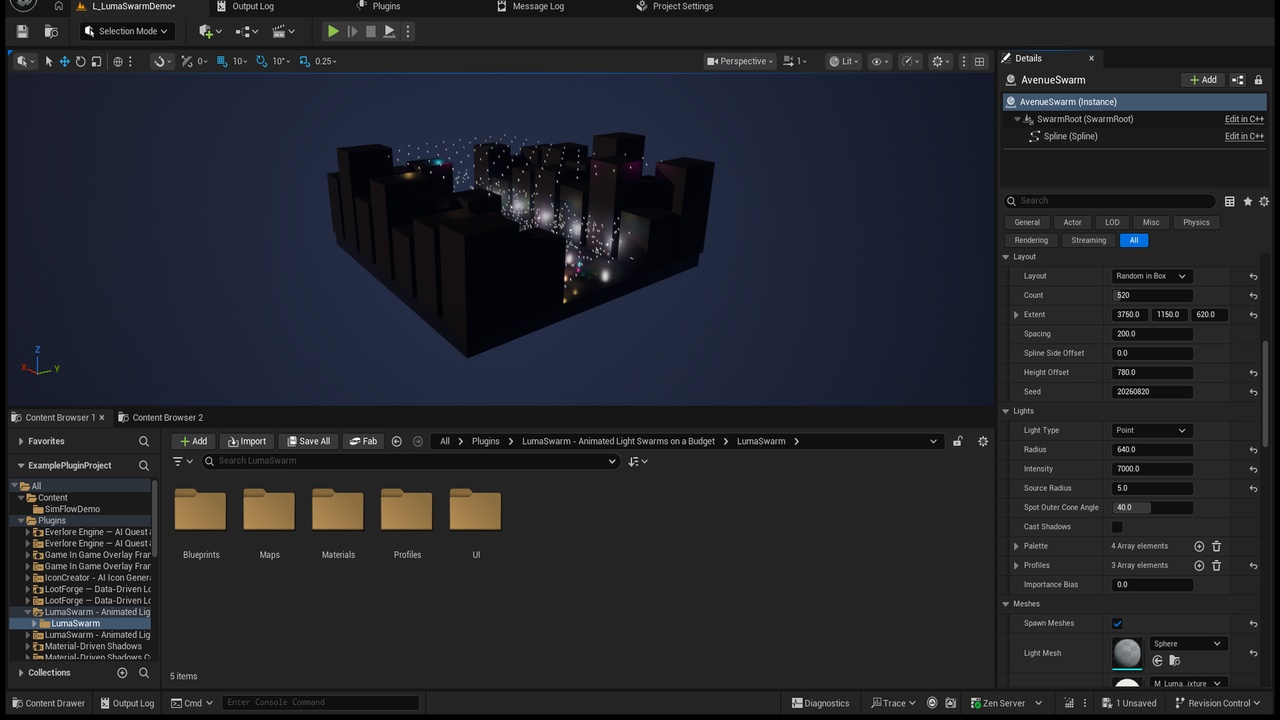
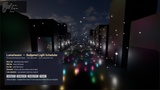




Description
Unreal Engine 5.8 made MegaLights production-ready. Hundreds of shadowed dynamic lights are finally affordable to render. They are not affordable to animate.
Every call to SetIntensity or SetLightColor marks a light's render state dirty and enqueues a render-thread command. A neon street with 800 lamps, each running its own flicker Blueprint or Timeline, produces 800 of those every single frame, on the game thread, whether or not the player is anywhere near them. The GPU side got cheaper. The CPU side did not.
LumaSwarm is the missing half. Your lights stop ticking. A single world subsystem takes the whole swarm, sorts it by distance to the camera, and each frame writes at most the number of lights you allow it to — round-robin, so everything comes round eventually and no frame ever pays for all of them at once. Whatever does not fit is deferred to the next frame, never dropped.
What makes that safe is that a light's animation is a pure function of the swarm clock and the light's phase. There is no per-light state machine anywhere in the plugin. A lamp skipped for fifty frames lands on exactly the value it would have had if it had been updated every one of them — so the scheduler can be as stingy as your frame budget demands, and the swarm still looks like it is all running at once.
Drop in a LumaSwarm Spawner, set the count to 800, pick a layout, hand it three profile assets, press Rebuild. You have a street.
KEY FEATURES
Hard per-frame budget. MaxUpdatesPerFrame is a ceiling, not a target. The number of light writes per frame is yours to set; the swarm size only changes how often each light is refreshed.
Fair round-robin scheduling. The cursor survives between frames, so every light is guaranteed to come round. No starvation, no spikes, no work dropped on the floor.
Distance tiers with hysteresis. Near lights every frame, mid every n-th, far rarely, past the max distance dormant. Tier boundaries have slack so lamps on the edge do not pump.
Staggered re-classification. One slice of the list is re-bucketed per frame, never the whole thing — the plugin refuses to create the kind of spike it exists to prevent.
Dirty epsilon. A value that has not visibly moved is not written at all, because writing it would cost a render-state update for nothing. The statistics panel counts exactly how many writes this saved you in your level.
Five animations out of the box. Steady, Flicker (deterministic value noise), Pulse, Strobe with duty cycle, ColorCycle — plus an optional intensity curve over the period and an optional colour curve.
Reusable profile assets. One ULumaSwarmProfile drives a thousand lights. Nothing about a profile is per-light.
The component does not tick. bCanEverTick = false, and it stays false. Check it in stat game.
One spawner, hundreds of lights, one actor. Grid, random-in-box or along-spline layouts; point, spot or rect lights; a colour palette and a profile rotation; optional instanced fixture meshes. The lights are components, not hundreds of separate actors dragging replication state behind them.
Deterministic everywhere. Phases are hashed from name and position, noise is hashed integer noise, never engine RNG. The same level flickers identically on every run, every machine and every client.
On-screen statistics and console commands. LumaSwarm.ShowStats, .Budget, .MaxDistance, .Pause, .TimeDilation, plus a stat LumaSwarm group. The stats panel draws in editor viewports too, not just PIE.
Clean teardown. EndPlay restores every light to the intensity, colour and visibility it registered with. No lamp left frozen halfway through a flicker after a level transition.
Demo level included. A night city block with 634 registered lights, three profile assets and an on-screen HUD that switches the budget between 8, 64 and 512 while you watch the counters follow.
WHO IT IS FOR
Night cities, arcades, cyberpunk streets, industrial plants, spaceship interiors, festival grounds — anywhere the set dressing is made of many small animated lights.
Teams already using MegaLights who now have the GPU headroom for hundreds of dynamic lights and need the CPU side to keep up.
Anyone who has written the same flicker Timeline for the fortieth lamp.
WHAT IT IS NOT — PLEASE READ BEFORE BUYING
LumaSwarm renders nothing. It schedules updates to lights that Unreal renders. It is not a renderer, it does not replace MegaLights or Lumen, and it does not make any individual light cheaper to draw. If your bottleneck is GPU light rendering, this is the wrong plugin.
It is not a light function or material effects pack. Animated gobos, projected patterns and emissive material tricks are a different tool. Use them alongside this.
No audio coupling. Other flicker kits tie their animation to MetaSounds. That is a different product and it is left out here on purpose.
No editor utility widget, no bulk light editor at design time. This is a runtime system.
Lights must be Movable. The engine refuses runtime intensity and colour changes on static and stationary lights. The plugin warns you once per world if it is handed one.
No replication of the animation — by design. A light's value is a pure function of the swarm clock and its phase, so every client computes the same animation from the same inputs with zero traffic. Replicate the decision (swap the profile, pause the swarm) and let each client's scheduler do the work.
No performance numbers on this page. How much the epsilon and the tiers save you depends entirely on your content — slow pulses skip most writes, 12 Hz strobes skip almost none. The plugin ships the statistics panel so you can measure it in your own level instead of trusting a number from a store page.
Free UE5 snippet pack (10 C++ and Blueprint snippets): https://teufel-engineering.com/snippets