


Beschreibung
Demo
Video
Documentary
Game Menu is a ready-to-use menu framework for narrative and adventure games. Open the project, press Play and you have
everything a modern story game needs - from the splash screen to the pause menu - styled from one data asset and built
entirely with Blueprints and Common UI.
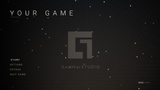
- Splash screen, "Press Any Button" title, main menu (Story / Options / Extras / Quit)
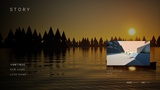
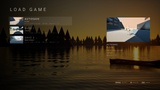
- Story screen: Continue with a picture of the last save, New Game, Load Game
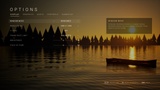
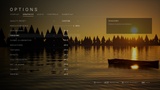
- Options: 5 tabs, 35 settings. Window mode, resolution, V-Sync, frame limit, quality preset + 10 scalability groups,
resolution scale, brightness, motion blur, film grain, FOV, volumes, sensitivity and invert Y work out of the box;
subtitles, difficulty, HUD, hints and vibration are saved for your game to read (one function call)
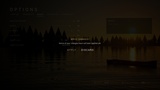
- Apply system: changes wait for Apply, "Keep Display Settings?" with automatic revert, Apply / Discard on Back
- Save system: autosave at checkpoints, 8 save slots, Load Game with thumbnails, Continue, Restart Checkpoint
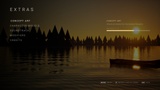
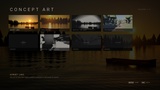
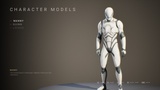
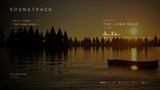
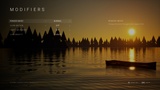
- Extras: concept art gallery with viewer, 3D model viewer, soundtrack player, gameplay modifiers, credits;
unlocks belong to each save and show an unlock notification
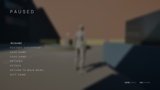
- Pause menu with soft background blur, confirm dialogs, loading screen with tips
- Keyboard, mouse and gamepad, W A S D navigation, Enter / Space / A to select, footer hints switch with the device
- One style asset (DA_GM_Style): fonts, colours, UI sounds, animation timings, game title
- Two menu backgrounds: a live 3D lake scene at sunset or an animated logo background
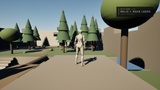
- Demo level (forest, old clinic, city street) with checkpoints and 8 collectible relics
- Every Blueprint is laid out cleanly and commented; a Start Here map with the setup guide opens with the project + PDF guide
TECHNICAL DETAILS
Features: see the list above
Code Modules: None (Blueprint only)
Number of Blueprints: about 65 (Blueprints, Widget Blueprints, function libraries, save games, data asset classes)
Number of Maps: 4 (L_GM_StartHere - in-editor guide, L_GM_MainMenu - 3D lake scene, L_GM_MainMenu_Logo - logo background, L_GM_Gameplay - demo level)
Input: Keyboard, Mouse, Gamepad (Common UI + Enhanced Input)
Network Replicated: No
Supported Development Platforms: Windows
Supported Target Build Platforms: Windows (other platforms supported by Common UI should work, not tested)
Required plugins: Common UI, Enhanced Input (both built into Unreal Engine, already enabled in the project)
Documentation: PDF user guide + Start Here map (L_GM_StartHere) inside the project
Important / Additional Notes:
- Complete Project for Unreal Engine 5.8.
- All content is original (made procedurally for this product) except the UE5 mannequin and third-person template
assets used by the demo level.
- The splash screen and the logo background show the Gamma Studio logo: swap in your own logo in WBP_GM_Splash (Logos)
and in M_GM_UI_LogoBackground (LogoTexture). Extras art, music and texts are demo placeholders to replace.
TAGS (suggestions)
main menu, UI, UMG, Common UI, options menu, settings, pause menu, save system, save load, blueprint, menu system,
story, cinematic, gamepad, extras, template