



Description
MetaMeshmizer is a powerful batch optimization plugin for Unreal Engine that automatically reduces static mesh triangle counts and downsizes textures, helping you boost performance, cut memory usage, and keep visual quality under control with minimal manual work.
What Does MetaMeshmizer Do?MetaMeshmizer now focuses on three core editor tools:
1) Batch Static Mesh LOD ReductionReduce triangle/vertex counts across entire folders of static meshes, with automatic LOD generation and Nanite support where appropriate.
2) Batch Texture Resize (Mesh-Referenced)Scan all static meshes in selected folders, find the textures referenced by their materials, and batch shrink those textures to a chosen percentage of their original resolution.
3) Batch Texture Reducer (Standalone)Batch reduce all Texture2D assets in selected folders and subfolders, independent of static meshes. This is ideal for bulk texture optimization passes (including UI, VFX, libraries, and unused textures).
Key FeaturesFolder Based Batch ProcessingRun optimization tools from:
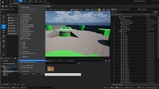
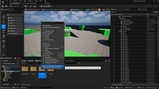
Tools → Static Mesh Tools in the main editor menu, or
Right click Content Browser folders via custom context menu entries.
Includes folder-based access for:
Static mesh batch LOD reduction
Mesh-referenced texture reduction
Standalone texture batch reduction
Let the plugin automatically:
Decide whether to enable Nanite
Choose an appropriate LOD Group (SmallProp, LargeProp, LevelArchitecture)
Based on each mesh’s post-reduction triangle count and bounds radius. This mode overrides manual Nanite/LOD Group choices to give you consistent, data-driven optimization.
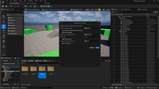
Configurable Mesh ReductionSet a Reduce Percent to control how aggressively triangles are removed
Optionally enable Nanite
Tune Nanite fallback Keep Triangle %
Choose LOD Groups when not using Auto Perform
Control additional options like Support Ray Tracing, Distance Field Scale, and Allow CPU Access for advanced workflows
When Nanite is disabled and LOD Group is set to None, MetaMeshmizer generates up to 6 progressive LODs, each at 50% of the previous one, starting from your chosen reduction for LOD0.
When a LOD Group is used, only LOD0 is adjusted and the group rules manage the rest.
Texture Aware Optimization (Mesh-Referenced)Collects textures referenced by static meshes (material slots, material instances, texture parameters)
Avoids duplicates
Resizes each unique texture by your chosen Reduce Percent
(for example 2048×2048 → 1024×1024 or 512×512)Preserves original formats, sRGB/linear settings, and compression options
Scans selected folders recursively
Processes all Texture2D assets (not only mesh-referenced textures)
Great for optimizing:
UI textures
VFX textures
imported texture packs
prototype assets
low-end platform texture budgets
Preserves texture format and import/compression settings
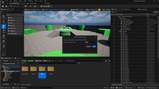
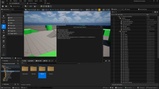
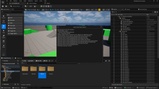
All tools provide a progress window with folders, asset counts, and live status so you always know what’s being processed.
Technical DetailsType: Editor only optimization plugin
Supported Platforms: MetaMeshmizer is designed to operate on Windows
Works inside the Editor (not available in packaged builds)
Designed for projects that need fast, repeatable optimization passes across many meshes and textures
Core, CoreUObject, Engine
UnrealEd, EditorSubsystem, AssetRegistry
ContentBrowser, ToolMenus
MeshUtilities, MeshReductionInterface
Preparing levels for performance-critical platforms by quickly reducing overall triangle and texture budgets
Cleaning up asset packs that ship with extremely high polycounts and oversized textures
Creating consistent LOD and Nanite setups across different environment sets (props, architecture, large structures)
Bulk-reducing texture libraries before profiling or packaging
Optimizing UI/VFX textures that are not referenced by static meshes
Automating repetitive optimization steps late in production or before profiling passes
MetaMeshmizer is part of the Meta family of tools by Asha Empire Team, focused on making Unreal Engine workflows faster, more automated, and more developer friendly.
It is designed to sit alongside other Meta plugins as your go to batch optimizer for static meshes and textures.
Why MetaMeshmizer?Instead of manually opening each mesh or texture and tweaking settings one by one, MetaMeshmizer lets you:
Select folders
Choose a few parameters
Hit OK and let the plugin process everything for you
If your project is starting to struggle with draw calls, memory usage, or loading times due to heavy assets, MetaMeshmizer gives you a fast, controllable way to bring everything back into a reasonable budget, without sacrificing more visual quality than necessary.