


















الوصف
A complete, Blueprint-first integration of Epic Online Services for Unreal Engine 4.27+..
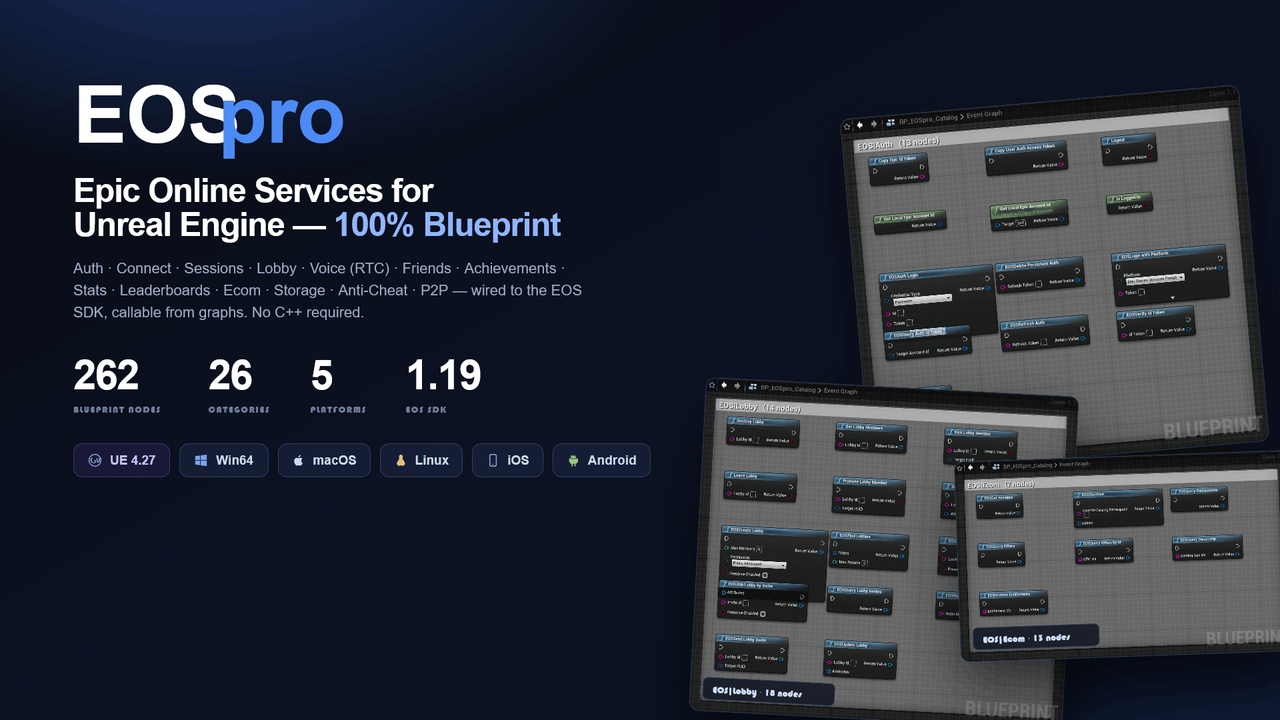
EOSpro wraps the Epic Online Services C SDK (v1.19.0.7) into a clean, fully Blueprint-exposed API so you can add cross-platform identity, matchmaking, voice, progression, storage, and commerce to your game without touching a single line of EOS C code. It ships as a single, self-contained plugin — the SDK, redistributables, dev tools, and platform integrations are all bundled — plus an in-editor voice debugger and a ready-to-run sample game.
One plugin gives you 262 Blueprint nodes across 26 EOS feature areas, an EOS_HPlatform lifecycle managed for you by a game-instance subsystem, and a consistent async-node pattern (OnSuccess / OnFailure pins) across every operation.
NB enable OnlineSubsystem OnlineSubsystemUtils
Youtube| Documentation| Support
Why EOSpro
Blueprint-native. Every EOS feature is a drag-and-drop node or a subsystem call — no C++ required, but the full C++ surface is public if you want it.
Cross-platform from one API. Win64, macOS, Linux, iOS, and Android share the same nodes. The EOS SDK runtime for each platform (DLL / dylib / .so / framework / .aar) is bundled and staged automatically at build time.
Identity that survives crashes. Persistent Auth keeps players signed in across restarts and crashes; a single startup call silently restores their Epic account + product user.
Self-contained. No external SDK drop folder, no manual DLL copying. Credentials are configured in Project Settings → Plugins → EOSpro and ship in DefaultGame.ini.
Batteries included. A native UMG sample game (EOSproExample) exercises the whole plugin, an editor voice-chat debugger visualizes RTC rooms, and an OSS bridge routes real purchases through Steam / Google Play / App Store / EGS.
At a glance
Engine Unreal Engine 4.27 (PhysX; no UE5-only APIs) EOS SDK 1.19.0.7 (bundled under Source/ThirdParty/EOSSDK/) Modules EOSpro (runtime) · EOSproEditor (voice debugger) · EOSproExample (sample game) Blueprint surface 262 nodes across 26 categories Platforms Win64 · macOS · Linux · iOS · Android (consoles need NDA SDKs) Login methods Epic Account Portal · DevAuth tool · Device ID (anonymous) · Persistent (auto)
Feature coverage
Area BP nodes What you get Auth 10 Epic / Steam / Google / Apple / Device / DevAuth + persistent auto-login Connect 10 Product-user identity, external-account linking, device id, first-run user creation Sessions 15 Create / Find / Join / Update / Invite + invite query Lobby 18 Same surface as Sessions + RTC voice rooms Friends 10 Query / Send / Accept / Reject + status Presence 3 Set + Query presence Achievements 5 Unlock + query definitions + query player progress Stats 4 Ingest + Query Leaderboards 6 Definitions + user scores + global ranks Ecom 13 Offers (all / by-id), Checkout, Ownership, Entitlements, Receipts Storage / TitleStorage 14 Player file CRUD + title file read P2P 2 Send / Receive packet UI 3 EOS social overlay show / hide / visibility Metrics 2 Begin / End player session CustomInvites 13 Send / Accept / Reject + event receiver Reports / Sanctions 4 Behavior reports + sanctions query RTC (voice) 19 Join / Leave / Sending / Receiving / Devices + global push-to-talk AntiCheat 9 Begin / End session + peer register + message bridge Mods 9 Enumerate / Install / Uninstall / Update IntegratedPlatform 4 Steam / EGS login-status reporting ProgressionSnapshot 4 Submit progression snapshots Platform (OSS bridge) 6 Cross-platform purchases via the engine's IOnlinePurchase Core + Subsystems 46 Central subsystem + 21 per-category proxy subsystems
Total: 262 Blueprint nodes. A browsable, screenshot gallery of every node lives in BP_EOSpro_Catalog/ and renders in index.html → Node gallery.
Login methods
EOSpro supports the full range of EOS sign-in flows through one easy node (EOSLoginWithPlatform) plus dedicated helpers. Each yields an Epic Account ID (EAID) and/or a Product User ID (PUID):
Method Needs Yields Use it for Account Portal Epic Account Services + a GameClient policy EAID + PUID Real Epic identity, friends, presence DevAuth tool EOS Dev Auth Tool running locally EAID + PUID Fast iteration in PIE Device ID nothing (anonymous) PUID Quick start, no portal setup, Connect-only policies Persistent (auto) a prior Account Portal/DevAuth login EAID + PUID "Stay logged in" — silent restore on every launch
First-run product-user creation (the EOS_InvalidUser → CreateUser continuance) is handled automatically inside every login path, so a fresh account is provisioned transparently.
Sample game (EOSproExample)
A self-contained, packageable sample ships inside the plugin as a runtime module, so its gameplay classes appear in Project Settings → Maps & Modes of any project that enables EOSpro — no separate project, no .uproject:
C++ GameInstance (auto-restores the session on startup), GameMode, Pawn, HUD, PlayerController, GameState, PlayerState.
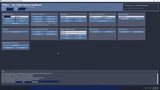
A fully native UMG dashboard widget (zero .uasset) with cards for Auth, Profile/Presence, Sessions, Stats & Leaderboards, Achievements, Friends, Voice Chat, Player Data Storage, Title Storage, Store (Ecom), and Moderation/Metrics — every button drives a real EOS call and logs the result on screen.
See EOSproExample.md for setup, the DevAuth 127.0.0.1:6547 explainer, and packaging steps.
Five-minute setup
Enable the plugin in <Project>.uproject (already done for PluginCore).
Project Settings → Plugins → EOSpro — fill in from the Epic Developer Portal:
ProductId, SandboxId, DeploymentId (use a matching sandbox+deployment pair, e.g. the Dev pair).
ClientId, ClientSecret (the build's credential pair).
EncryptionKey — 64 hex chars for Player Data Storage encryption (the Generate button makes one).
(Optional) Voice Chat — default Mic/Speaker DeviceId, AEC toggle, RTC background mode.
(Optional) Anti-Cheat — drop base_public.cer into Build/NoRedist/, set bAntiCheatEnabled = true.
Build: Build.bat PluginCoreEditor Win64 Development -Project=PluginCore.uproject -WaitMutex -FromMsBuild.
In Blueprints, call EOSLoginWithPlatform(EpicGames) (or use the sample widget). On success the subsystem populates GetLocalEpicAccountId / GetLocalProductUserId.
Account Portal needs Epic Account Services. Set up an EAS application, link your GameClient to it, and match the login's requested scopes (Basic Profile / Friends / Presence / Country) to the app's required permissions — otherwise login completes then fails with EOS_Auth_CorrectiveActionRequired. For zero-setup testing, use Device ID instead.
PIE / editor testing
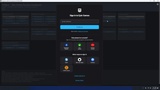
Run EOS_DevAuthTool.exe from Source/ThirdParty/EOSSDK/DevAuth/, sign in once, name your dev credential (e.g. Context_1). 127.0.0.1:6547 is the local address of that tool, not a URL.
Call EOSLoginWithPlatform(Developer, Token="Context_1", Id="127.0.0.1:6547"), or use the sample widget's Login (DevAuth) button.
Voice debugger: Window → EOS Voice Chat Debugger (or EOSpro.ShowVoiceDebugger in console) — pick devices and watch live participants once you join a room.
Cross-platform purchases (OSS bridge)
EOSPlatformPurchase(OfferId, OfferNamespace, Quantity) auto-routes through the engine's IOnlinePurchase for whichever OSS is loaded — no Blueprint branching:
Win64 / EGS — OnlineSubsystemEOS (wired via EOSpro).
Steam — enable OnlineSubsystemSteam + set the Steam AppId in DefaultEngine.ini.
Android — enable OnlineSubsystemGooglePlay + Play Console product IDs.
iOS — enable OnlineSubsystemIOS + App Store Connect IAP products.
Inspect the active backend with EOSGetActivePlatformOSS().