Descrizione
▶ 4K video showcase (Unreal Engine 5): https://youtu.be/-NdZla8rtFk
▶ Quick Start (Unreal Engine 5): https://youtu.be/XJSo8e4kGr4
▶ Unity showcase: https://youtu.be/W8jmhdjGCYo
Generate your own fly-through space nebulae – right inside the editor
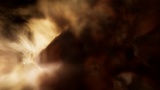
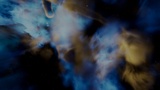
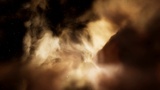
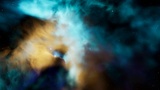
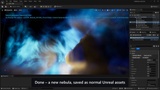
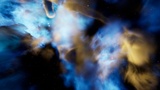
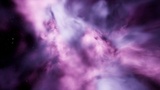
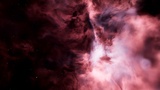
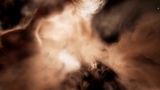
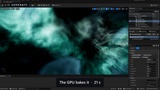
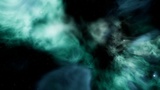
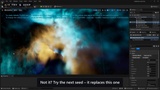
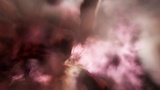
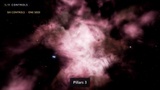
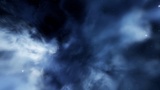
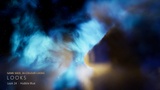
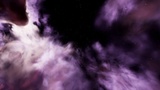
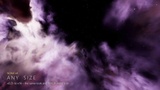
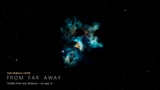
Pick a seed and a colour look, press Generate Nebula, and about half a minute later you fly through a brand-new, truly volumetric nebula: bright star-forming cores in blown-out cavities, dark dust pillars with lit rims, curved shells, long dust lanes, streamers, thin veils and thick opaque dust, with a deep-field star and galaxy sky behind. This is not a skybox: the gas and dust are rendered in 3D around the camera, so you can fly into, through and around them.
Unreal Engine 5: Blueprint only – no C++, no plugins; rendered by Unreal's own Volumetric Cloud. Unity: URP and HDRP in one package. Every nebula is saved as normal engine assets you can use in any level or scene and in your packaged games.
✦ GENERATE
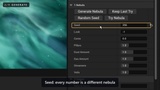
Millions of seeds – every seed is a different nebula: layout, cores, walls, pillars, lanes, fine structure and its own star sky
26 colour looks – 24 the seed chooses from, plus two Hubble-palette looks (royal blue / teal glow, gold rims)
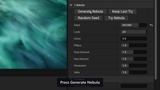
Six artistic controls – Cores, Pillars, Dust Amount, Gas Amount, Streamers, Veils; each changes only its own part, so the seed stays recognisable
Try Nebula / Keep Last Try – try as many seeds as you like without filling your project, keep the one you like in a few seconds without baking again
~20 – 40 s per nebula on an RTX 3090; the generator adapts to slower GPUs automatically (Safe Mode for integrated graphics)
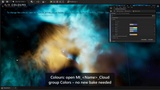
✦ CUSTOMISE – LIVE, NO NEW BAKE
Gas palette – outer gas, main gas and the gas around the bright cores
Dust – rim colour for the lit rims, glow inside the dust
Grading – hue shift, saturation, brightness, density
Where – Unreal: the nebula's material instance; Unity: the nebula profile's Look (or per scene); changes show instantly
✦ FEATURES
Fly inside – the nebula surrounds the camera 360°, with gas and dust at every depth
Four quality presets – Low, Medium (default), High, Epic
Scale x0.25 – x16 – the whole nebula grows, same look and same cost at every size
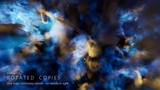
Rotated copies – one huge, continuous nebula with the same close-up detail
Far nebula layer (Unreal) – big nebulae stay visible from far away, no pop-in
Slow, natural gas animation – on by default
Self-lit – no lights needed
Lives next to our Volumetric Nebula Skyboxes packs in the same project – own folders and names
✦ WHAT'S INSIDE
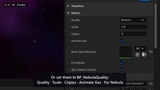
Unreal Engine 5 – the generator (BP_NebulaGenerator, editor only), 10 example nebulae, 10 fly-through demo levels, BP_NebulaQuality (quality, scale, copies, animation, far layer), fly pawn and game mode
Unity – the generator (editor only), 10 example nebulae, 20 demo scenes (10 URP + 10 HDRP), Nebula Volume and Nebula Fly Camera components, URP renderer feature, HDRP custom pass
Documentation – README and a PDF manual for each engine: every button, setting and workflow, step by step
✦ PERFORMANCE
Medium preset (default), native 4K, RTX 3090, no upscaling: Unreal ~100 FPS (standalone game, 4 demo levels); Unity 101 FPS URP / 91 FPS HDRP (built player, 10 demo scenes). Only the nebula is traced at reduced resolution and filtered over several frames – the rest of your frame stays at full resolution.
✦ DEMO CONTROLS
WASD fly · E / Q up / down · mouse look · wheel flight speed
1 – 4 quality · 5 – 8 size · B cycle size · R copies · G gas animation · N / P next / previous demo
✦ REQUIREMENTS
Unreal Engine 5.4 and above – Blueprint only; generating needs the editor on Windows (DirectX 12 or 11)
Unity 2022.3 and above – URP or HDRP; generating needs the editor on Windows (DirectX 11 or 12); Built-in Render Pipeline not supported
✦ USE CASES
Space games and flight sims · sci-fi cinematics and trailers · menu and title backgrounds · space-station and planet backdrops