
Description
texLab — PBR Texture Packing for Unreal Engine
texLab is an Editor-only Unreal Engine plugin for packing PBR texture maps directly inside the Unreal Editor.
Pack inside the Unreal Editor — no Photoshop or Substance re-export just to test a channel layout. Native C++ plugin.
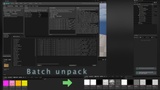
Turn individual maps — Base Color, Normal, AO, Roughness, Metallic, Height, masks, and more — into production-ready texture packs such as ORM + Normal etc. Need to work in reverse? Unpack vendor atlases back into individual maps with a full in-Editor round-trip.
What you see in the preview is what gets written to disk.
Required plugins: DataValidation (Data Validation).
Verified on Unreal Engine 5.7 and 5.8
What You Get
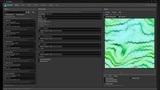
Manual Mode — Pack one material at a time with Sources, a visual pack graph, and live preview.
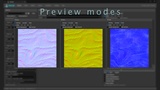
Export Preview — Compare Working, Encoded (BC7/BC5 approximation), Delta, and Split Channel views before exporting.
Channel Graph — Adjust Contrast, Invert, and Levels before committing your pack.
Safe & Compact Strategies — Use independent channels such as ORM + BC5 Normal, or denser Compact layouts such as GRAH + NMG. Clear strategy badges show exactly what each mode does.
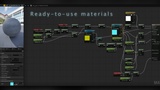
Create Outputs — Generate packed textures, optionally create a Material and Material Instance, or Add to an existing Material.
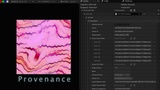
Provenance — Store the packing strategy, source maps, and notes directly on the asset using Asset User Data.
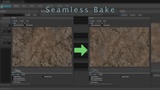
Seamless Bake — Bake edge cleanup directly into the output texels in Pack mode.
Streaming Virtual Textures — Generate SVT outputs with the appropriate Virtual Texture samplers in material graph.
Unpack — Extract packed textures back into individual maps for a complete in-Editor round-trip.
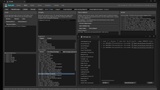
Batch Mode — Process entire folders with Scan, Rebuild Groups, Suggestions, Validate, and chunked Execute workflows.
Library — Use built-in presets or create your own JSON-based presets with import/export support.
Semantics — Define filename rules and test matches, such as R → Roughness or M → Metallic.
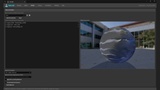
Material Builder — Connect existing packed textures to a material template without repacking them.
In-Editor Help & Quick Start — Get up and running in roughly five minutes.
Demo Content — Explore the included texture examples in /texLab/texLabDemo/, including Magma, Knit, Gold etc.
Defaults That Protect Your Project
texLab is designed to make destructive mistakes difficult.
Create New — Source textures are never overwritten.
Validate Before Execute — Run a dry pass with match checks, estimated savings, and a complete file operation plan before anything is written.
Semantic Resolution — Packed acronyms are not blindly interpreted from letter order. texLab resolves them through its semantic database and Library presets.
Quick Start
Enable texLab: Edit → Plugins.
Tools → texLab.
In the Content Browser, navigate to /texLab/texLabDemo/Textures/....
Right-click a texture set and select Send to texLab.
Choose a Safe packing strategy.
Check the Encoded preview.
Click Create Outputs.
Open the resulting texture and check Details → Asset User Data to see its provenance.
Documentation: https://docs.page/armasonix/texLabDocs
Support: [email protected]
Full Video Walkthrough: https://www.youtube.com/watch?v=0rblsIZo2GU
The included demo textures are provided to demonstrate the workflow and learn the pipeline.