Description
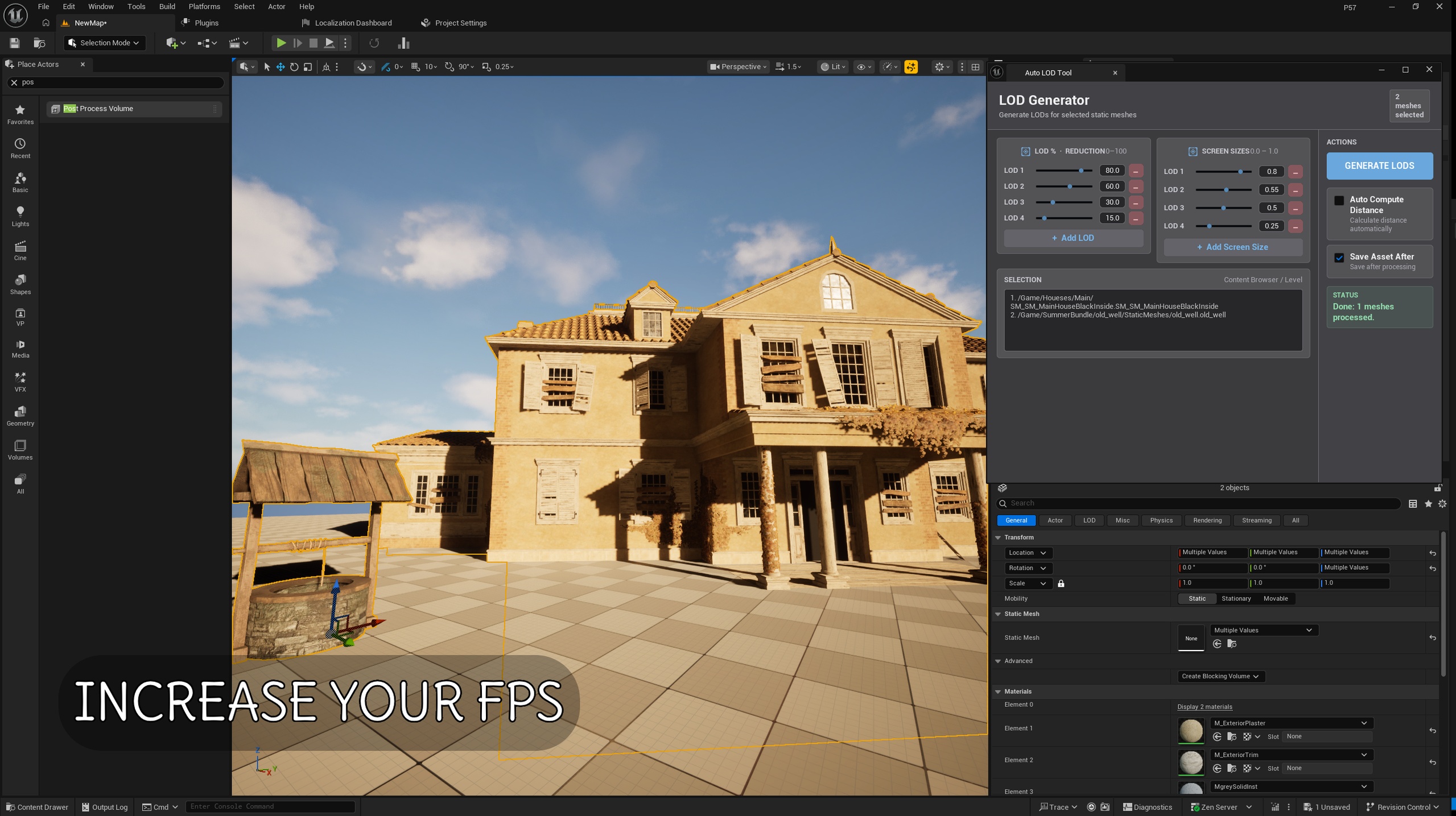
AutoLOD Tool is an editor-only plugin for Unreal Engine 5 that lets you generate LODs (Level of Detail) for selected Static Mesh assets with a single click. It’s built for creators who need to apply the same LOD profile to dozens (or hundreds) of meshes quickly—without manually configuring each asset.
KEY FEATURES
- One-click batch LOD generation: Works with meshes selected from the Content Browser or directly from the Level/Viewport.
- Safe sequential processing (queue): Processes meshes one-by-one instead of all at once, helping prevent editor freezes or crashes during heavy LOD generation.
- Custom LOD percentage profile: Example: 75, 50, 20, 10, 5
(LOD1–LOD5 triangle percentage relative to LOD0)
- Screen Size control:
- Auto Compute: Uses Unreal Engine’s automatic LOD screen-size/distance calculation
- Manual Screen Sizes: Example: 0.80, 0.60, 0.45, 0.35, 0.25, 0.15
- Optional Auto Save: Automatically saves assets after LOD generation.
- Live selection list: The panel updates to reflect your current selection.
- Status & reporting: Shows progress and processing status in the panel.
- Nanite warning: Warns when Nanite is enabled, since traditional LODs may not be used as expected.
HOW TO USE
1) In UE5 Editor, select Static Meshes:
- from the Content Browser (multi-select supported), or
- from the Level/Viewport
2) Open the tool:
Tools > Auto LOD > Open Auto LOD Tool
3) In the panel:
- Enter your LOD % profile
- (Optional) If Auto Compute is disabled, enter Manual Screen Sizes
- (Optional) Enable Save Assets
4) Click “GENERATE LODs”.
The tool will process meshes sequentially and generate LODs automatically.