Beschreibung
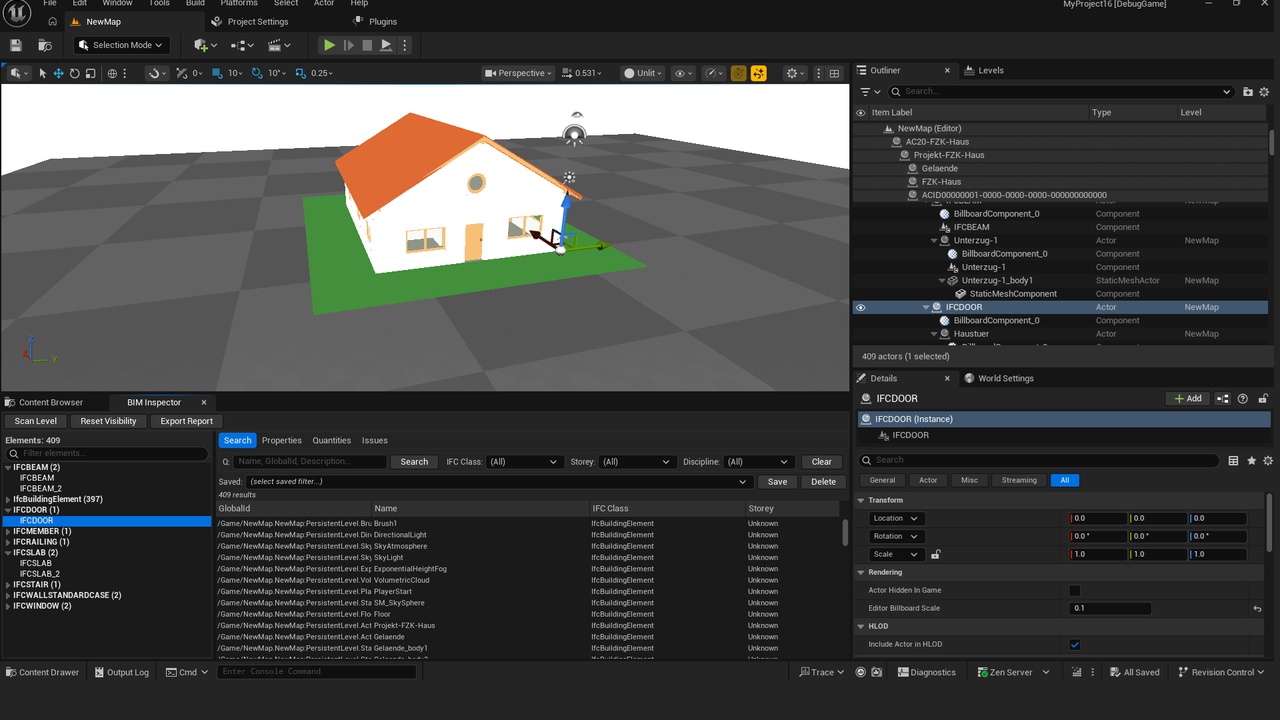
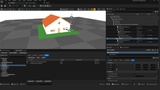
BIM Inspector for Unreal turns the Unreal Editor into a complete BIM review and
coordination workspace. Import your IFC/Datasmith model, then search, inspect, quantify,
and track issues on real building data — without exporting to a separate tool.
Built for architects, BIM coordinators, and AEC visualization teams who bring Revit,
ArchiCAD, or IFC models into Unreal for real-time visualization and digital twins, and
who need the underlying building data to stay reviewable.
What it does?
Model Browser
Browse every scanned element in a hierarchical tree grouped by IFC class, with live element
counts (e.g. IfcWall (47), IfcDoor (12)). One click to isolate, hide, ghost, or focus the
camera on any element or group.
Advanced Search
Query any property with a fast, readable filter language. Combine conditions with AND/OR and
operators =, !=, >, >=, <, <=, and Contains:
`IFCClass = IfcWall AND Storey = Level_03`
`FireRating >= 120 OR Material Contains Concrete`
Searches are index-accelerated and scale to models with 100,000+ elements.
Properties Inspector
See the full metadata of any selected element — GlobalId, Name, IFC class, storey, discipline,
every imported property set value, and numeric quantities (area, volume, length). Filter the
property list instantly by key.
Quantity Takeoff
Aggregate area, volume, and length grouped by IFC class, storey, material, or discipline.
Get instant per-group counts and totals, and export the summary to CSV or JSON for estimating
and reporting.
Issue Tracking
Create, assign, and prioritize issues directly in the viewport. Each issue stores a 3D
location, priority, status, assignee, an optional viewport screenshot, and a link to the
related element. Issues auto-save to JSON in your project.
BCF 2.1 Export
Export your issues as a standard BCF 2.1 archive (.bcfzip) and open them in Solibri,
BIMcollab, Trimble Connect, Navisworks, Revit, or ArchiCAD. Close the loop between your
Unreal review session and the rest of the BIM toolchain.
Discipline Coloring & Visualization
Auto-color elements by discipline (Architectural, Structural, Mechanical, Electrical,
Plumbing), apply custom color overrides, isolate or ghost the rest of the model, and frame
selections with a single click. All overrides are non-destructive and fully resettable.
Comprehensive Reports
Export the full element inventory, quantity summaries, and issue lists to CSV, JSON, or a
formatted Markdown report for documentation and downstream processing.
Flexible data sources
BIM Inspector reads metadata from:
- Datasmith imports (IFC and other CAD formats) via Datasmith asset user data — the
primary workflow
- Actor Tags in a simple `Key=Value` format on any actor
- Actor label heuristics as a fallback when no metadata is present
No proprietary importer required — it works on top of the Datasmith pipeline you already use.
Who it's for?
- Architects and design teams reviewing models in real time
- BIM coordinators running clash, RFI, and issue workflows
- Construction and engineering firms doing quantity takeoff
- Digital twin and AEC visualization developers
Requirements
- Unreal Engine 5.4 or newer
- Editor-only plugin (Windows)
- IFC models imported via Datasmith (or actors tagged with metadata)
Includes full documentation and an automated test suite.
Documentation: https://drive.google.com/file/d/1hBYf21hCfV3UJfe0hfZLaTJyIYUky1O3/view?usp=sharing