




Описание
A frame cap is different on a teammate's machine. A rendering setting changed between editor sessions. Finding the relevant override can mean checking several config files and console variables by hand.
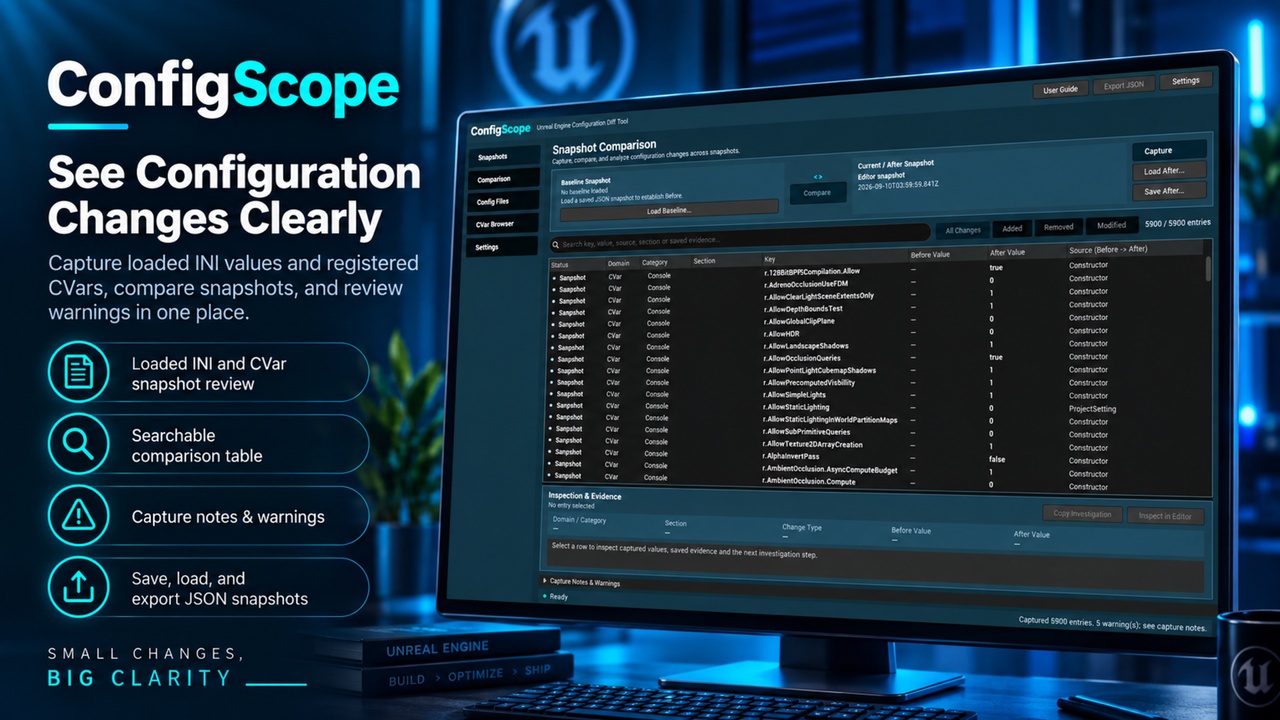
ConfigScope captures loaded INI values and registered console variables in Unreal Editor, then compares them against a saved snapshot. It shows the recorded values side by side, together with available source information, so you can quickly see what changed.
COMPARE BEFORE AND AFTER
Save a baseline before changing project settings, scalability options, console variables, or startup configuration. Capture another snapshot later and review added, removed, and changed entries. Value differences are shown directly, making changes such as t.MaxFPS from 30 to 60 easy to identify.
COMPARE RECORDS FROM YOUR TEAM
Load saved JSON snapshots from the same project and compare recorded environments without having to reproduce another developer's editor setup. Selected differences can be copied with their values and context for bug reports, issue tracking, or team communication.
SAVE AND EXPORT
Snapshots can be saved, reused, compared later, and exported as JSON reports for troubleshooting and documentation.
DOCUMENTATION INCLUDED
Setup and usage documentation is included with the plugin. The user guide can also be opened directly from Tools > ConfigScope > User Guide inside Unreal Editor.
TECHNICAL INFORMATION
Unreal Engine 5.7 and 5.8
Windows
Editor-only plugin
C++ source included
No bundled third-party code or libraries
No external services or third-party plugin dependencies