Açıklama
Roo Gameplay Framework
Roo Gameplay Framework is a modular, data-driven gameplay framework for Unreal Engine that helps you quickly build and maintain a wide range of gameplay systems. Most features can be configured through intuitive editor tools without writing code or creating complex Blueprint logic. With simple Blueprint nodes or C++ function calls, you can easily create, modify, and manage systems such as Stats, Attributes, Formulas, Progression, Modifiers, Stat Actions, Status Effects, and equipment-based character customization—allowing both Blueprint users and C++ developers to focus more on creating engaging game content and gameplay.
Learn How to Build a Complete RPG Game in UE 5.7 with Roo Gameplay Framework (Tutorial Series)
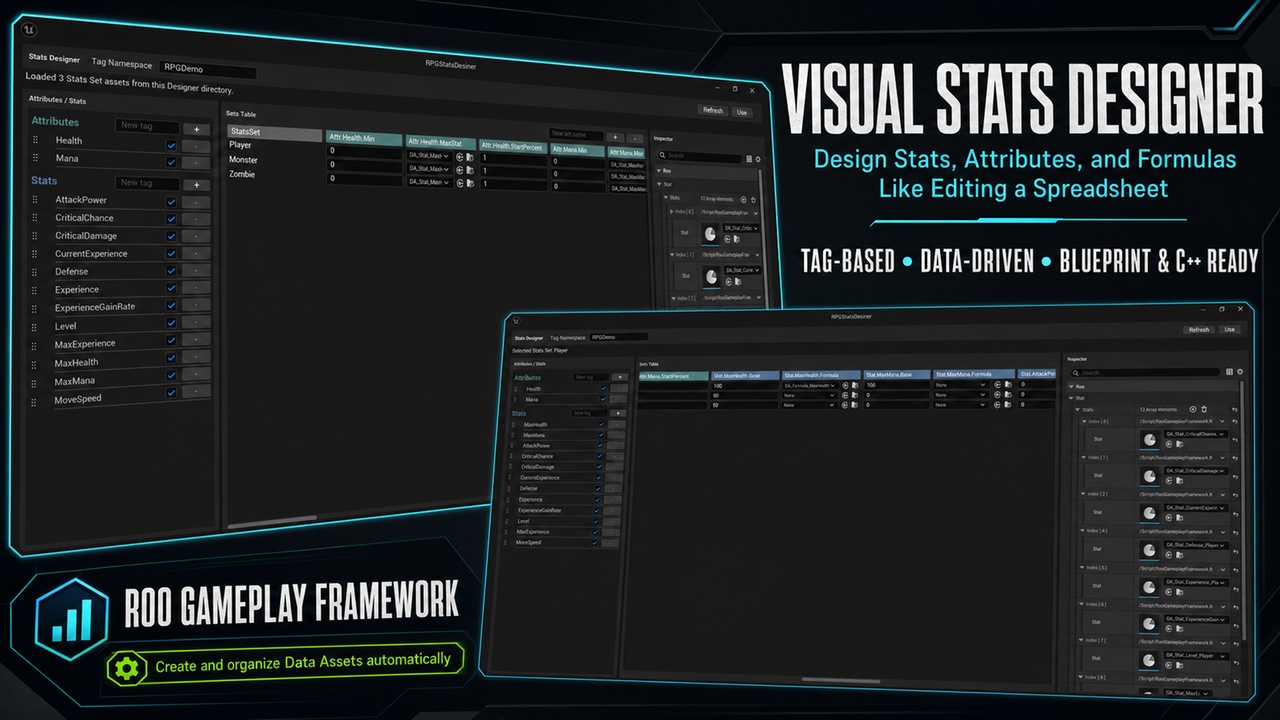
Visual Stats Designer
Configure gameplay values through a spreadsheet-style visual editor, with a workflow similar to editing a CSV table.
The Stats Designer allows you to:
Create and remove Stat and Attribute definitions
Edit multiple Stats Sets from one visual table
Configure base values, minimum values, maximum Stat references, and starting percentages
Assign Formula and Progression Table assets directly from table cells
Reorder Stat and Attribute columns through drag and drop
Enable or hide individual definitions
Organize definitions with custom Gameplay Tag namespaces
Generate, update, save, and clean related Data Assets with one click
Instead of opening every Data Asset individually, you can manage an entire group of character values from one editor panel.
Stats and Attributes
Create reusable Stats and Attributes for characters, enemies, equipment, and other gameplay objects.
Examples include:
Health and Mana
Attack Power and Defense
Critical Chance and Critical Damage
Movement Speed
Experience and Level
Custom project-specific values
Stats support constant base values, runtime modifiers, Formulas, and Progression Tables. Attributes provide current, minimum, maximum, and normalized values, making them suitable for resources such as Health, Mana, Stamina, and shields.
Formulas and Progression
Create calculated Stats using configurable Formula Data Assets.
Formulas can read values from Self and Target Stats Components and support:
Arithmetic operations
Stat, base value, and Attribute references
Minimum, maximum, clamp, power, square root, and rounding functions
Random ranges, percentage chances, and dice rolls
Progression Table queries
Progression Tables support manual, constant, linear, and geometric growth, making them suitable for levels, experience requirements, scaling values, and other progression systems.
Modifiers and Stat Actions
Apply temporary or persistent changes through reusable runtime Modifiers and Stat Actions.
Supported workflows include:
Constant modifiers
Percentage modifiers
Formula-driven values
Damage and healing
Resource changes
Base value changes
Reusable gameplay operations
Source-based modifier removal
Stat Actions are configured as Data Assets and can be reused by equipment, Status Effects, abilities, interactions, and Blueprint gameplay logic.
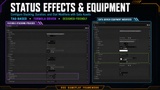
Status Effects, Buffs, and Debuffs
Create flexible Buffs, Debuffs, and neutral Status Effects through Data Assets.
The system supports:
Stack limits
Independent or shared stack duration
Duration refresh behavior
Stack overflow policies
Periodic Tick execution
Add, Tick, and Remove actions
Constant, Stat-driven, and Formula-driven values
Runtime stack, duration, and progress queries
UI-ready group and per-stack progress values
These features can be used to create effects such as regeneration, burning, bleeding, temporary bonuses, stacking penalties, equipment effects, and progression-based Buffs.
Fast Equipment Configuration
Configure equipment effects quickly through data-driven assets.
Define which Stats an item affects, choose constant or percentage modifiers, and use Formulas for level-based or dynamic equipment values.
Equipment can automatically apply its configured modifiers when equipped and remove them when unequipped. This makes it easy to create weapons, armor, accessories, and evolving equipment without duplicating gameplay logic.
Blueprint and C++ Support
The framework provides Blueprint-ready components, functions, events, queries, and configuration assets, together with C++ APIs for deeper integration.
Use complete Gameplay Tags for explicit references or convenient name-based nodes for lightweight workflows. Custom namespaces allow each project to organize its tags without conflicting with the included demo content.
Whether you work primarily with Blueprints, C++, or a combination of both, Roo Gameplay Framework provides a practical foundation that can be adapted to your own architecture.
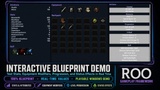
100% Blueprint Demo
The included demo is built entirely with Blueprints.
It demonstrates:
Stats and Attributes
Formulas and Progression
Runtime Modifiers
Stat Actions
Buffs and Debuffs
Equipment configuration
Gameplay interactions
Runtime value and Status Effect UI
No C++ code is required to study, run, or customize the demo. C++ developers can use the same framework through its native runtime APIs.
Documentation and Windows Demo
Future Development
Roo Gameplay Framework will continue to expand over time.
Planned future systems include:
Inventory System
Quest System
Additional editor tools
More runtime integrations and workflow improvements
The Inventory and Quest systems are not included in the current release. They are planned as future additions, and the roadmap may evolve based on development progress and user feedback.
Pricing
The price is expected to increase gradually as major systems, editor tools, and substantial new features are added.
Support and Contact
For technical support, bug reports, or product-related questions, contact: