Opis
SkyDSP Mixer Pro puts two things into the Unreal Engine editor that game sound has always had to leave it for: a mixing desk and a sound design pad. If you have worked in a DAW, you already know how both of them work.
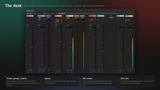
The desk. Every sound on a track, a fader within reach, the whole mix in view, in a drawer at the bottom of the editor or docked in the layout. It is built on the engine's own audio system (sound classes, submixes, control buses and submix effects), so what you hear in the editor is exactly what ships in the game. Move a fader while the game plays, and that is the fader in the build. The desk itself is editor-only: the packaged game carries the mix assets and a small runtime module.
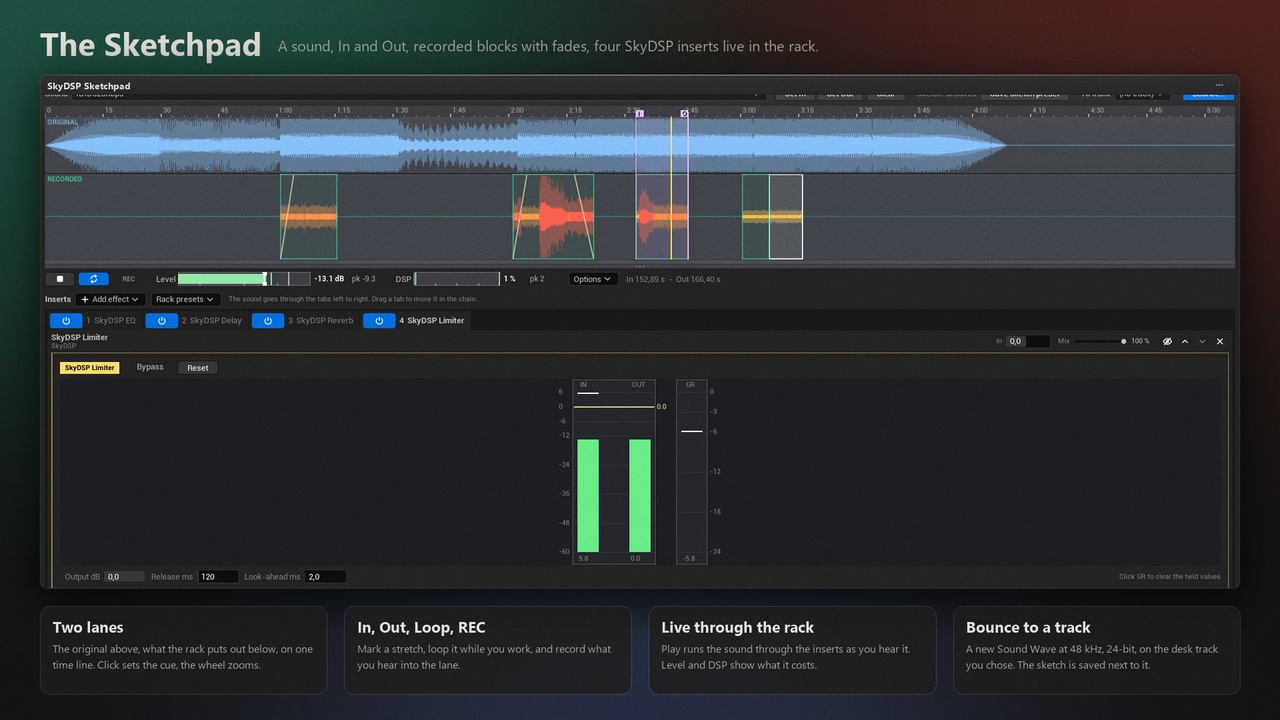
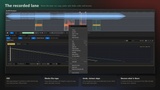
The Sketchpad. Pick a Sound Wave, add effects, press play and turn the knobs while it loops. The rack hosts the VST3 effect plug-ins you already own, from the folders you point it at, with their own panels opening inside the pad and their presets saved as .vstpreset files, so they work in your other hosts too. Next to them sit the SkyDSP effects: an EQ with a live analyser, a delay, a reverb and a look-ahead limiter, each with presets for games. Set In and Out, switch REC on, and what you hear is written into a recorded lane. Cut, copy, paste, split, fade, drag the blocks like tape, and bounce the result to a new 48 kHz, 24-bit Sound Wave on the desk track you choose. The sketch is saved beside it, so you can come back and change your mind.
A ready desk. The first time you open it, the mixer builds Master, Music, Ambience, SFX, Player, Dialogue and UI tracks in your project. Nothing else is touched.
Sounds on tracks, three ways. Right-click sounds in the Content Browser and pick the track, drag them onto a strip, or set the Audio Track on any placed sound in its Details panel.
Insert chains. EQ, delay and reverb per track, in the order you arrange them. A look-ahead limiter closes the Master.
Groups. Unfold a track and every sound on it has its own fader, meter, mute / solo and audition button.
Spaces. Shared reverb rooms with a send level per track. One reverb for an entire street.
Mix scenes. Snapshots for the moments of your game: menu, combat, interiors. Fader offsets with fade times, recalled by a volume in the level, a Blueprint node or any game value. Press Save mix, and the game plays it.
## Feature list
- Mixing desk in the editor's status bar (Ctrl+Shift+M) or docked in the layout
- Tracks with fader, peak meter with peak hold, dB readout, mute and solo
- Insert chain per track: parametric EQ with live analyser, delay, reverb; drag to reorder
- Master limiter with look-ahead
- Groups: a fader, meter and audition per sound
- Spaces: shared reverb returns with a send per track
- Mix scenes with fades, driven by level volumes, Blueprint / C++ or game values
- Sketchpad: live play through a rack of inserts, In / Out, loop, REC into a recorded lane
- VST3 effect hosting (Windows): your plug-ins from the folders you choose, panels inside the pad, .vstpreset files, folders read once and remembered
- SkyDSP effects in the rack: EQ, delay, reverb, limiter, with presets for games
- Recorded lane editing: cut, copy, paste, split, fades, drag, sixteen steps of undo
- Bounce to a 48 kHz, 24-bit Sound Wave on a desk track; the sketch is saved with the lane and the rack
- Audio Track drop-down on every Audio Component; right-click and drag-and-drop assignment from the Content Browser
- Default desk created on first open; everything saved as ordinary engine audio assets
## Technical details
- Number of Blueprints: 0. Number of C++ classes: 10 UObject classes (mixer asset, settings, subsystem, zone actor, EQ and limiter presets, Sketch asset, its factory and settings) plus the VST3 host
- Supported development platforms: Windows 64-bit
- Documentation: https://xone.build/skydspmixerpro/ (user manual included in the plugin's Docs folder)
- Support: [email protected]