Description
Easy Scene Switcher Pro – Instant Scene Switching from the Unity Toolbar and Editor Window
🚀 Switch Scenes Instantly - Right Next to the Play Button!
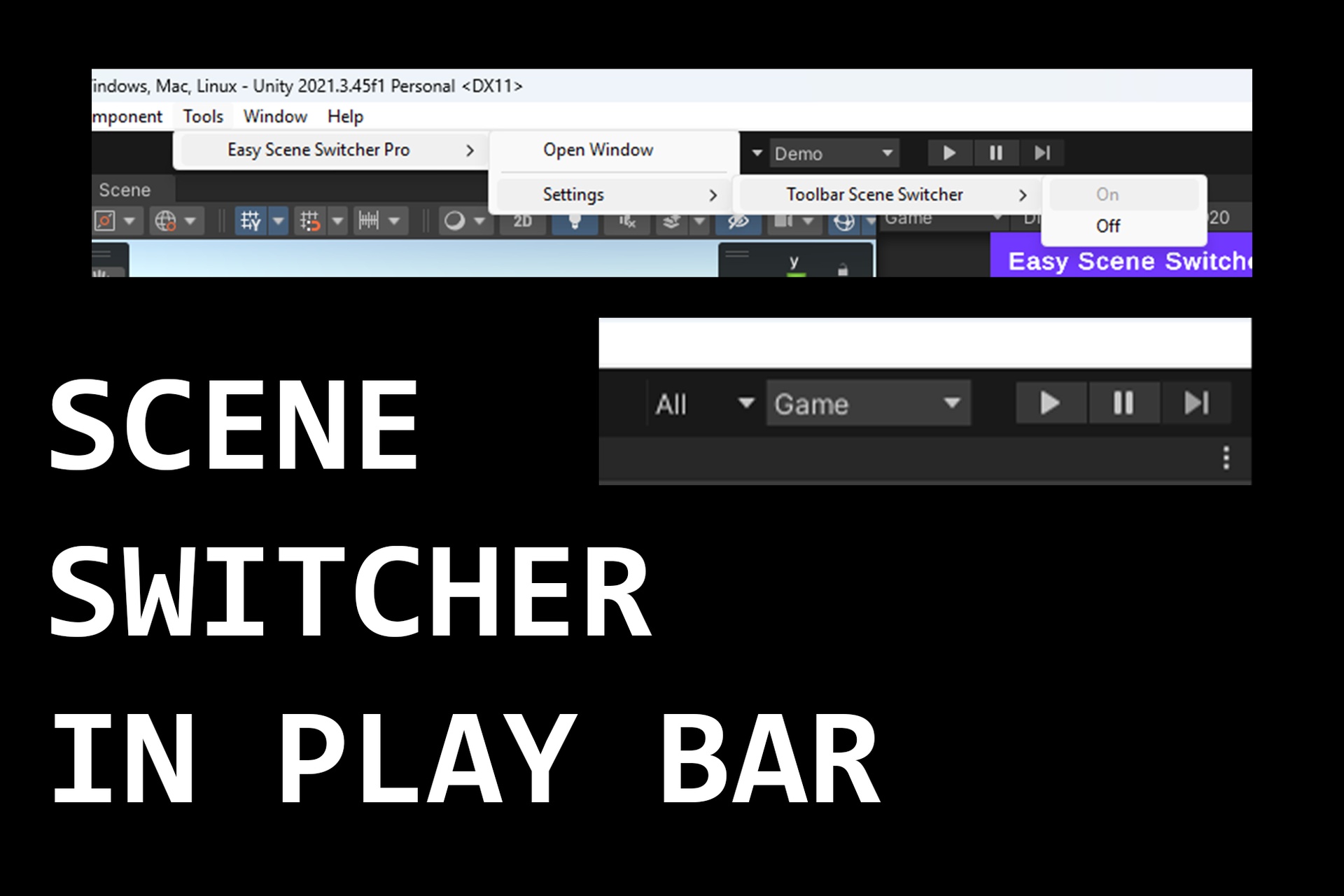
Easy Scene Switcher Pro is a lightweight and powerful Unity Editor extension that lets you switch scenes directly from the toolbar (next to Play) or from a dedicated dockable window. No more searching through folders or Build Settings every time you test.
📺 WATCH THE DEMO: https://www.youtube.com/watch?v=TgmEFHEXCmI
✨ Features:
✅ One-Click Scene Switching - Jump between scenes instantly from the toolbar.
✅ Dockable Scene Switcher Window - Full scene browser for faster workflow.
✅ Build Settings Mode – Show only scenes configured for build.
✅ All Project Mode – List all scenes in your Unity project.
✅ Search & Filter – Quickly find scenes by name.
✅ Live Scene Status – See ACTIVE/LOADED scene state at a glance.
✅ Auto Refresh – Updates when Build Settings or project scenes change.
✅ Play Mode Lock – Prevents accidental switching during Play Mode.
✅ Ping Scene Asset – Locate scene files instantly in Project view.
✅ Lightweight & Fast – Editor-only tool with minimal overhead.
🎯 Why Use Easy Scene Switcher Pro?
🔹 Saves time by removing repetitive scene browsing.
🔹 Perfect for projects with many scenes and frequent testing.
🔹 Great for developers, designers, and QA teams.
🔹 Speeds up iteration loops for prototyping and debugging.
📥 Get Started in Seconds!
1️⃣ Install the package.
2️⃣ Open Tools > Easy Scene Switcher Pro > Open Window.
3️⃣ Optional: Enable toolbar switcher from
Tools > Easy Scene Switcher Pro > Settings > Toolbar Scene Switcher > On.
4️⃣ Select your scene and switch instantly.
⚠️ VERSION COMPATIBILITY NOTE
PLEASE READ:The Toolbar Dropdown (next to the Play Mode buttons) is currently not supported in Unity 6 and newer versions due to internal engine changes.
LOWER THAN UNITY 6: Full compatibility! The Toolbar integration works perfectly in all versions from Unity 2019.4 up to 2022.3 LTS.
UNITY 6+: The Toolbar integration is temporarily disabled.
THE SOLUTION: Please use the Editor Window (Window > Fly Studios > Scene Switcher). It is 100% functional and works perfectly across all Unity versions.
COMING SOON: We are actively developing a dedicated update for Unity 6 to restore the Toolbar functionality. Thank you for your patience!