Description
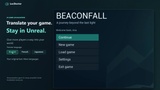
Translate your game. Stay in Unreal.
You built a world worth playing. Give more players a way into it.
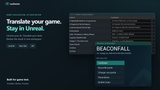
LocDoctor brings AI translation and localization review into Unreal Editor. Collect your game text, create translation drafts for your chosen languages, edit them alongside the originals, and prepare the results for your game through one guided workflow.
Menus, dialogue, subtitles, quests, item descriptions, tutorials, tooltips and more - wherever your project uses localizable Unreal text.
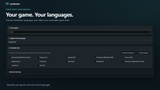
Choose the language your game is written in and the languages you want to reach. French to English, English to Japanese, or another language combination supported by your chosen model.
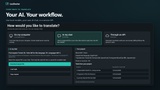
Choose the translation workflow that fits your setup
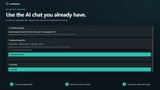
Local AI - connect to Ollama, LM Studio, Jan or GPT4All and translate with a model running on your computer.
Your AI chat - export a prepared request, send it in your own AI chat, and import the reply for validation and review. No API key is needed for this workflow.
Automatic API translation - connect to OpenRouter, OpenAI, Google Gemini, Groq or another compatible service using your own API access.
Keep control of every word
AI handles the first draft. You decide how your game should read.
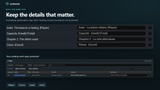
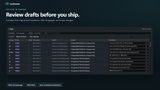
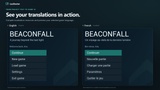
Compare, edit and save. Review source text and translations side by side. Filter by language and status, refine individual phrases, and save your reviewed translations.
Keep your game's style. Adjust wording, tone and context directly in the translation table before releasing your game.
Protect variables and formatting. LocDoctor validates placeholders such as {Player} and {Count}, Rich Text tags and line breaks before applying AI results.
Preserve human translations. Existing human translations are protected during normal automatic translation jobs.
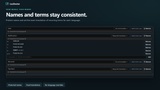
Keep names and terminology consistent. Use the glossary to preserve character names and define required translations for game terms in each language.
Find localization issues earlier. Project checks help identify text patterns that prevent localization. Font checks help find missing characters in your selected fonts.
Work with human translators. Export and import CSV or PO files, review proposed changes, and resolve conflicts before saving.
Revisit saved changes. Translation history lets you inspect and restore recorded translation batches, with checks for conflicting newer edits.
Prepare and preview the result. Compile saved translations into Unreal's standard localization resources, switch the game text preview language, and check your screens in the editor.
From draft to game
From your first translated menu to your next language update, the process stays clear:
Choose languages. Collect texts. Translate. Review. Prepare for the game.
Requirements and compatibility
LocDoctor works with localizable FText and String Tables gathered by Unreal's localization system. Translation quality and language coverage depend on your chosen model. Local translation requires an installed model application. Cloud API access and any service usage charges are managed separately by your provider.
The game interface shown in the screenshots and trailer is demonstration content and is not included.
Documentation and support