Descripción
Hi, everyone. Our email is:
[email protected] or [email protected]
This is a UE C++ plugin which contains following advanced functions.
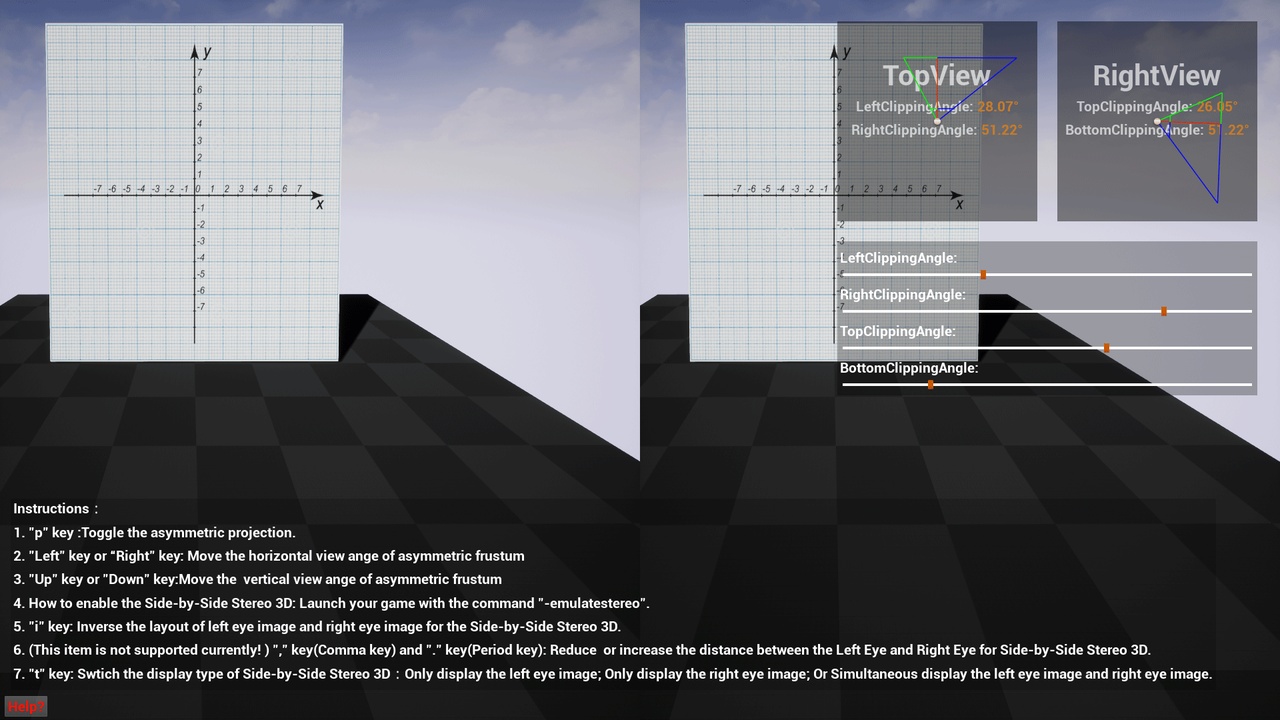
1. Side-by-Side Stereo 3D implementing: You can get two eye images on your UE game viewport.The left eye image is on the left side of the viewport and right eye image is on the right side.
2. Asymmetric projection(or named asymmetric view frustum) implementing: With this function, you can implement asymmetric projection matrix effects. Such as splicing one spherical screen with multi-PCs(Multi UE Game Viewports).
Documents: gitlab.com/UE4MarketplaceSubmission_Public/iLocalPlayer_Public/tree/master
How to caputure Side-by-Side movie in the sequencer: https://bit.ly/2Idt5Gc
Forum Thread: iLocalPlayer UE4 Plugin
iLocalPlayer4UE UE Plugin Demo(YouTube):
or
iLocalPlayer UE4 Plugin Demo(YouKu):
One UE4 C++ Plugin(Named “iLocalPlayer4UE4”).
Number of overview Maps: 1
Number of blueprint actors: 1
Number of widget blueprints: 2
Number of ".cpp " files: 4
Number of ".h" files: 7
Physically-Based Rendering: (No).
Number of Materials: 4
Number of Material Functions: 2
Number of Textures: 2
Number of slate brush: 1
Network Replicated: No
Intended Platform: Desktop(Windows; Mac);
Platforms Tested: Desktop(Windows; Mac)
Supported Development Platforms: Desktop(Windows; Mac)
Supported Target Build Platforms: Desktop(Windows; Mac)
Example Project and Documentation Included: Yes; Link: gitlab.com/UE4MarketplaceSubmission_Public/iLocalPlayer_Public
Notice:
We submitted a new Pull-Request into "EpicGames/UnrealEngine:master" to fix the issue(When capturing a movie in the sequencer, Side-by-Side Stereo-3D effect is not correct). The Pull-Request Link(You must be logged into a UE4-Github linked account to view this): https://github.com/EpicGames/UnrealEngine/pull/4370
How to caputure Side-by-Side movie in the sequencer: https://bit.ly/2Idt5Gc
Actually, if you enable stereo without this plugin using the -emulatestereo command, you will not get the correct side-by-side stereo 3D effect(you can try and test the side-by-side 3D effect, and you will find out that it is not the correct stereo 3D effect), this is why we write this plugin to deal with this problem. This plugin can help you render the correct side-by-side stereo 3D effect.