Description
Hey there!
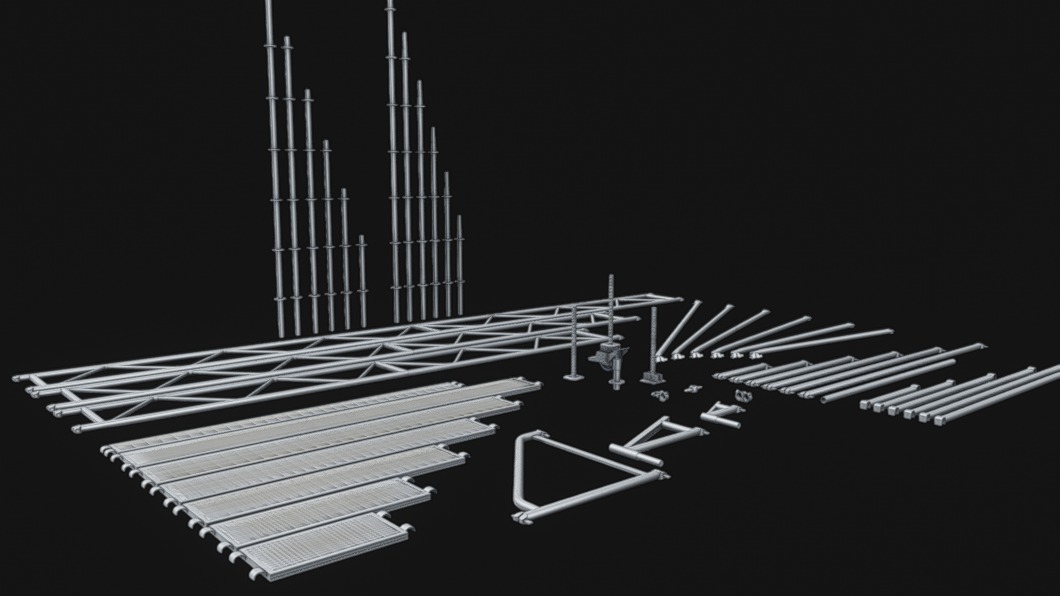
This is a collection scaffolding, modeled in mid-poly based on real-world dimensions and optimized for Unreal Engine 5, complete with textures. You can use it to build various setups for events, construction, or anything else you have in mind!
This FBX file contains 52 elements, and they are as follows:
Steel_Plank1, Steel_Plank2, Steel_Plank3, Steel_Plank4, Steel_Plank5, Steel_Plank6, Steel_Plank7
Diagonal_73, Diagonal_109, Diagonal_157, Diagonal_207, Diagonal_257, Diagonal_300
Standar_100s, Standar_150s, Standar_200s, Standar_250s, Standar_300s, Standar_400s
Standar_100, Standar_150, Standar_200, Standar_250, Standar_300, Standar_400
Ledger_73, Ledger_109, Ledger_157, Ledger_207, Ledger_257, Ledger_307
TAT73cm, TAT109CM, TAT157CM, TAT207CM, TAT257CM, TAT307CM
Base_Collar, Base_Jack, Base_Jack_Rot, Base_wheel
Beam_514, Beam_614, Beam_771
Coupler45, CouplerL, CouplerR
Side_40, Side_75, Side_100
Tube_200
Nut
Important: Import Instructions
It is recommended to manually import the FBX file to obtain separate pieces. Also, create the material and connect the corresponding textures. The LAYHER_Roughness texture should be in linear color; disable sRGB in the image options under the texture tab before use.
The package also includes the following textures:
BaseColor
Metallic
Normal
Roughness
Mask
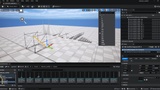
Nota: It is recommended to build all assets with the pivot point set to 0 and to use a custom snap size of 73, 109, 157, 207, 257, and 307 for movement along the X and Y axes, combined with 90° rotation increments.
For the Z axis, use 50 cm increments.
For example, if you use a Diagonal_207_, the 207 snap size should also be used. This ensures that the next piece placed on the X and Y axes aligns perfectly with other assets such as columns and additional accessories.