





الوصف
From HTML & CSS to Native Unreal UMG.
Official Page | Documentation | FAQ
You already designed the screen. Why build it twice?
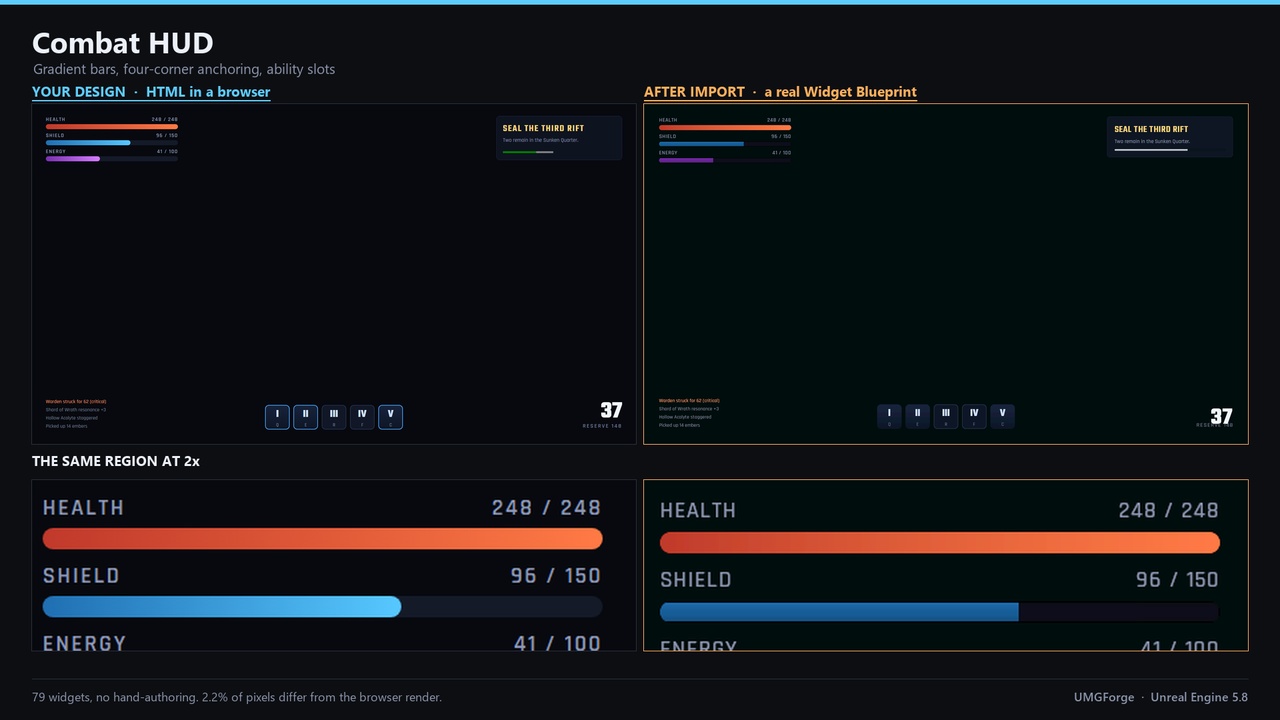
If your UI exists as HTML and CSS, UMGForge brings it into Unreal as real, editable UMG widgets, responsive containers, your own fonts, gradients, icons and controls that actually work. Not a screenshot, not a web view. Widgets you can open in the designer and wire up like any others.
You can design it yourself, or use Claude, ChatGPT, Gemini or another AI tool to generate the HTML first. UMGForge takes care of the conversion, so you can focus on building your game instead of rebuilding the UI by hand.
No special HTML template. No required prompt format. Just bring your design.
Key Features
RESPONSIVE UMG LAYOUT
HTML layouts become real UMG containers, anchors and sizing rules, so your UI adapts to different resolutions instead of being pinned to the pixels a browser happened to measure.REAL CSS GRID, NOT AN APPROXIMATION
Grids with unequal tracks and explicit `grid-column` / `grid-row` placement become a GridPanel with per-track fill, spans included. An evenly divided grid stays a UniformGridPanel, which is what that widget is for.
BRING YOUR DESIGN WITH YOU
Fonts, gradients, SVG icons, colours and supported visual effects are converted or recreated as native Unreal assets and widgets.FUNCTIONAL WIDGETS
Buttons, sliders, checkboxes, dropdowns and expandable sections become actual UMG controls you can edit, style and connect to your game logic.AI FRIENDLY
Generate your UI with Claude, ChatGPT, Gemini or anything else that outputs HTML and CSS. No special prompt, template or UMG-specific syntax required.ITERATE WITHOUT STARTING OVER
Reimport your HTML as your design evolves without losing your existing Blueprint logic or widget references.FRIENDLY OUTPUT LOG
Anything that cannot cross is reported by name, with the widget it belonged to, instead of being silently ignored or quietly approximated.
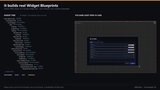
Designed to produce clean, editable UMG widget hierarchies you can continue working with inside Unreal.
Technical Highlights
25 Native UMG Widget Types - HTML elements are converted into real Unreal widgets including VerticalBox, HorizontalBox, Overlay, CanvasPanel, ScrollBox, GridPanel, UniformGridPanel, WrapBox, Button, TextBlock, RichTextBlock, Image, Slider, ProgressBar, CheckBox, ComboBoxString, EditableTextBox, ExpandableArea, ScaleBox and the bundled Gradient Panel.
Responsive Layout Conversion - CSS sizing and positioning are translated into UMG containers, anchors, fill rules and size overrides rather than simply copying screen coordinates.
Modern CSS Support - Colours (including `oklch`, `oklab` and `color(srgb ...)`), gradients, borders, rounded corners and sizing are converted with their visual properties preserved.
SVG & Fonts Included - SVG Icons are rasterized and the page's real font files can be pulled into your project, so text keeps its own metrics instead of being substituted.
Deterministic Output - CSS animations are settled before the page is measured, so a design converts to its resting state rather than to whichever frame the browser was on. The same file converts to the same widgets every time.
JSON Pipeline - HTML/CSS can be converted into a readable JSON layout format that can be reviewed, edited, version-controlled or used without HTML.
Automation-Ready - Blueprint and Python APIs are available for conversion and importing, making UMGForge suitable for custom tools and automated workflows [Check Documentation]
No embedded browser. UMGForge does not add Chromium, CEF or WebBrowserWidget to your project.
Worth knowing before you buy...
Animations are not converted - CSS transitions and `@keyframes` do not become UMG animations; motion is yours to build. Static button states such as Hovered, Pressed and Disabled do come across. What is handled is which frame gets captured: animations are settled first, so an element written `opacity: 0` with a fade-in arrives visible rather than blank.
Some visual effects need a fallback - Effects with no direct UMG equivalent, such as certain shadows, masks or advanced gradients, are captured as textures or reported as unsupported rather than approximated.
Static UI - UMGForge converts the structure and appearance of your HTML/CSS. JavaScript, runtime logic and live web content are not imported. Your interaction logic is still yours to build in Blueprint or C++.
Plain UMG - The importer generates standard UMG widgets, not CommonUI components.
Reimport replaces the imported layout - Reimporting updates the widget tree from the source design, so manual layout changes made inside the imported widget may be overwritten. Your Blueprint graphs and widget references remain intact.
Some CSS features have limitations - Complex color functions, per-side borders, certain gradient types and other browser-only features may not have a direct UMG equivalent. When that happens, UMGForge reports it instead of silently producing a different result.
Current Limitations
A grid track written as a fixed width (`380px`) sizes to its content rather than pinning to that width, because UGridPanel has no fixed track. Every one is named in the log with its declared size.
A dropdown's box background is not carried: `ComboBoxString` takes its box from a Slate style asset rather than a colour. Its font and text colour do come across.
A radial gradient draws as a linear ramp unless it is captured as a texture. Over a quarter of the viewport this is called out separately, because at that size it changes the brightness of the screen rather than just the shape of the gradient.
CSS `gap` can behave slightly differently once it becomes panel or slot padding.
Rich text using tagged inline `<span>` styling needs a UMG Text Style Set.
Very long text columns can accumulate a little vertical drift from font and line-height rounding.