

Opis
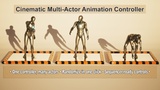
DCS Cine Multi-Actor Animation Controller is a Blueprint-only tool for UE 5.3+ that lets you control and randomize animations for many actors from a single controller placed in the level.
Demo: https://youtu.be/_ahwaSTA1Xg
Best for crowds, background motion, previs, and cinematic blocking.
Key features
• One controller actor for unlimited targets
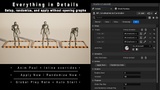
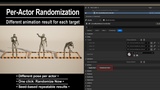
• Randomize Now: assign per-actor random Anim Sequence (Inline list or Data Asset pool)
• Variation + Global Play Rate for natural timing and real-time control
• Sequencer-friendly: keyframe Variation and Global Play Rate
• Auto Randomize on BeginPlay (optional)
Quick start
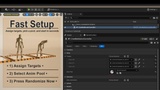
Add BP_CineAnimDriverComponent to each target actor and set TargetSkeletalMesh
Place BP_CineMultiActorController in the level
Add actors to Targets, assign AnimPool or InlineAnimations
Click Randomize Now / Apply Now (or enable Auto Randomize on BeginPlay)
Requirements: Skeletal Mesh actors only (Static Mesh not supported). Unreal Engine 5.3+.