

Описание
Revitalize Your Main Menu and Seamlessly Promote Content
🔗 Quick Links
Playable Showcase Demo: Download
Resources: Video Tutorial | Documentation | Release Notes
Support: Join our Discord for bug/crash reports, feature requests, and general help
___
📖 Overview
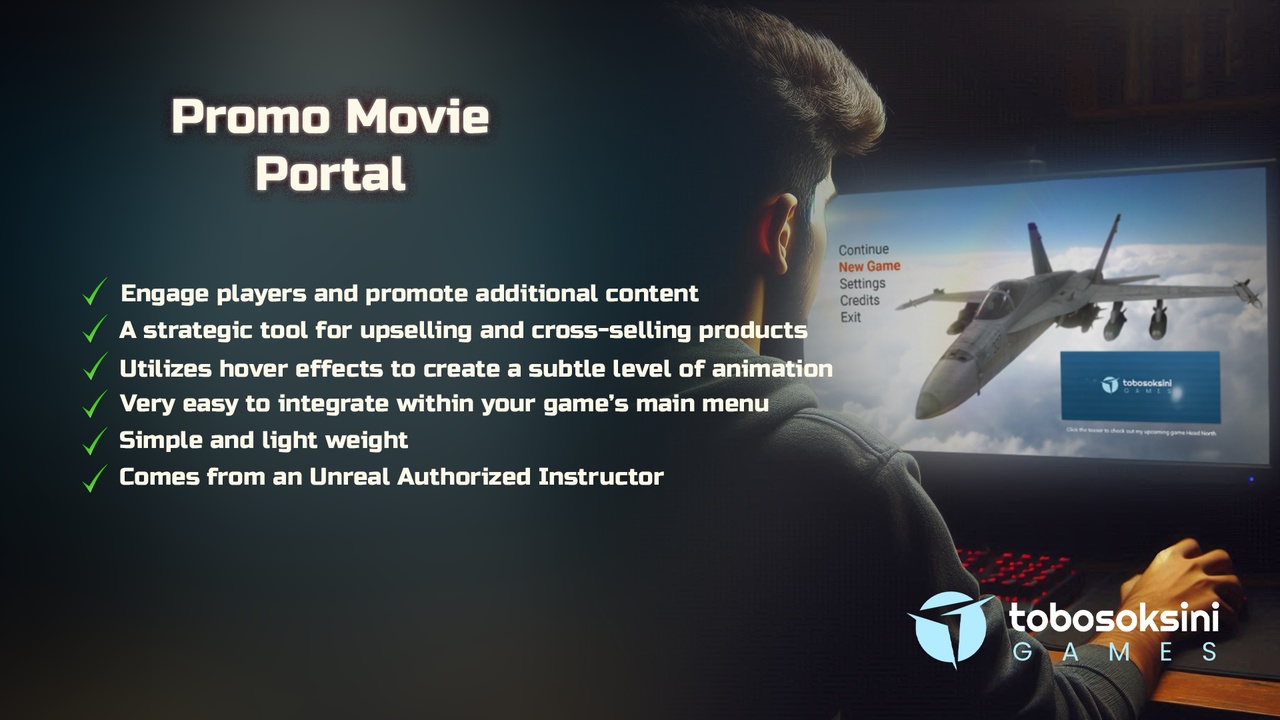
Promo Movie Portal unlocks new ways to engage players and promote additional content within your Unreal Engine game's main menu. This user-friendly project seamlessly integrates an interactive movie thumbnail, offering developers a strategic tool for upselling and cross-selling products.
Overall, "Promo Movie Portal" offers Unreal Engine developers a powerful tool to enhance their main menu, increase user engagement, and drive potential upselling and cross-selling opportunities through well-placed promotional content.
___
✨ Features
Interactive Thumbnail: The thumbnail utilizes hover effects to create a subtle level of animation, adding a touch of engagement to the main menu.
Hover-to-Zoom: The thumbnail expands in size on hover, providing a clearer view of the promotional movie.
Clickable Webpage Launch: With a single click, users can open the linked promotional webpage in their internet browser. Utilize this for product details, upcoming releases, or special offers!
Upselling/Cross-Selling Potential: Leverage the Promo Movie Portal to showcase new products, highlight upcoming expansions, or promote DLC (downloadable content) directly within the main menu, driving potential upselling and cross-selling opportunities.
Mini-Movie Size: The project allows you to configure the movie thumbnail size to fit perfectly within your game's main menu layout.
___
Benefits
Increased Engagement: Provides a captivating way to showcase promotional videos in the main menu, potentially leading to increased player interest and exploration of additional content.
Strategic Upselling/Cross-Selling: Empowers developers to directly promote new products and entice players with upcoming releases, maximizing monetization opportunities.
Seamless Integration: Simple setup and configuration ensure the project smoothly integrates into your existing game project.
User-friendly Experience: The subtle hover effects and clickable action provide players with an intuitive and engaging experience.
Flexible Design: The customizable size allows the thumbnail to fit seamlessly into your game's main menu design.
___
💬 Message from the Developer
Your rating on Fab helps other developers discover useful tools and supports our work.
Your feedback helps us refine tutorials and tools, so they’re clearer and more helpful for everyone. Thanks for supporting our work on Fab! 💖
🎁 As thanks, we’re giving away free access to our Udemy course: Solo Dev Version Control in Unreal Engine with Git & GitHub. To claim your free course, just reach out via email or join our Discord and ask about it!
___
🏅 Credentials
This Fab creation comes from an Unreal Authorized Instructor. With certified expertise in Unreal Engine, we ensure every detail reflects professional standards and innovation.