

Description
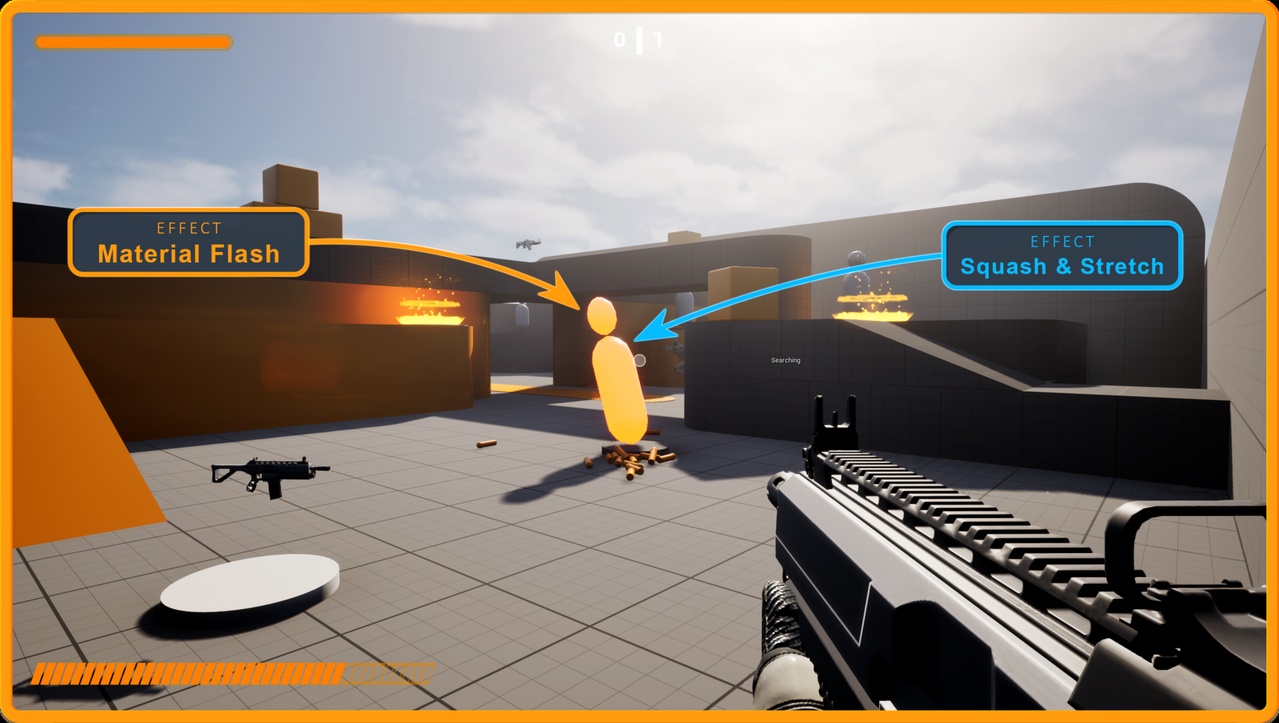
Game Juice Pro is a feedback and game feel plugin that adds impactful, satisfying effects to any Unreal Engine project.
Apply camera shakes, scale punches, screen fades, rim glows, ghost trails, and 25+ more effects using a single Blueprint node, with
no code required.
Designed for solo developers and teams who want polished, professional game feel, fast.
Demo | Video | Documentation | Preset video demo
Game Juice Pro is a living product.
New presets and improvements will be added over time, and the price will increase as the feature set expands. Early adopters benefit from the lowest entry price.
Key features
One Node, Full Control – The "Play Juice" Blueprint node handles everything: pick a preset, wire a target, done
28 Feedback Types – Scale, Bounce, Squash & Stretch, Camera Shake, Camera Zoom, Rim Glow, Material Flash, Ghost Trail, Particles,
Sound, and many more
Preset Data Assets – Bundle multiple feedbacks into reusable presets. Drag, drop, and share across your project
Session ID Control – The Play Juice node returns a Session ID you can store and use later to stop that specific preset
Dynamic Blueprint Node – Pins appear automatically based on your preset content (e.g. LookAt Target)
Post-Process Effects – Bloom, Chromatic Aberration, Color Grading, Depth of Field, Screen Fade
Multiplayer Ready – Server Multicast, Server Authoritative, Owner Only, and Skip Owner replication modes with per-feedback control
Advanced Timing – Delays, cooldowns, repeats, play count limits, sequential or simultaneous execution per preset
Auto-Configuration – Automatically finds mesh components, creates dynamic materials, and resolves targets
Technical overview
Session-based architecture with independent feedback cloning per execution
Curve-driven interpolation with spring physics for natural animations
Parallel preset execution with no cross-session interference
Per-feedback replication toggle and network relevancy filtering
Intensity and range systems with distance-based falloff curves
Cooldown, repeat, and play-count tracking per feedback instance
Timer-based sequential scheduling with completion detection
Thread-safe cleanup on component destruction and actor teardown