


الوصف
*The iClone Unreal Live Link is now fully integrated into the Unreal Auto Setup (All-in-One) which support the latest version of Unreal Engine, please download it HERE
THE MOST EFFICIENT REALTIME CHARACTER PRODUCTION WORKFLOW
iClone Unreal Live Link plug-in is the key to creating outstanding character animation for Unreal developers.
It provides the easiest and most productive way to animate your character in the Unreal Engine, including facial expressions, lip-sync animations, and body animations with accurate hand movements.
iClone motion editing tools let you separate a character’s body parts into layers; making it easier to tweak the details, while blend motion tools provide a way to smoothly transition between different animations. On top of all this, there are also utilities for mocap input and the automatic generation of voice-to-lip-sync animation. With the iClone Unreal Live Link plug-in, you can create live performances, arch-viz, game animation, cutscenes, and films with cinematic quality.
Watch demo videos: Overview | Animate MetaHuman | Data Link & Timecode Sync | Character Setting Best Practice
iClone Unreal Live Link is FREE for indie developers and studios. Check your eligibility
Reminder:
This application is part of an add-on for iClone. If you are new to iClone, you can download the 30-day free trial version HERE.
Additional purchase is required when it comes to industry standard mocap hardware support for Xsens, Perception Neuron, Faceware, iPhone, Rokoko, OptiTrack, Leap Motion, or Qualisys.
▍PRODUCT FEATURES
1. Direct Transfer
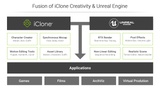
Supports major character standards
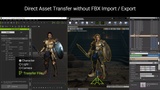
Direct asset transfer for characters, lights, cameras, and props
2. Automatic Setup
Automated digital human shader assignment
Digital human shader transfer & parameter mapping
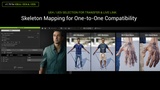
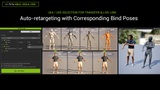
Automatic skeletal mapping.
Soft cloth physics transfer supports cloth physics, and character colliders
Prop PBR material & SSS shader transfer
3. Live Animation Link
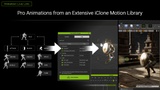
Professionally designed animations from an extensive iClone motion library
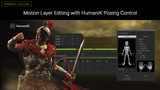
Motion layer editing with HumanIK pose controls
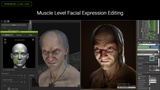
Muscle-level facial editing
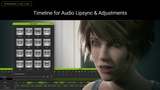
Timeline for audio lip-syncing
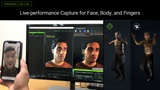
Live-performance capture for face, body, and fingers
Animatable skin-bone props
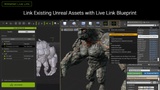
Linking existing Unreal assets with Live Link Blueprint
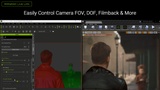
Synchronously control camera FOV, DOF, film back, and more
4. Data Link *only for iClone 8
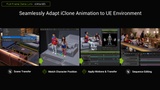
Seamlessly adapt iClone animation to UE environment
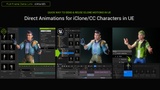
Direct animations for iClone/CC characters in UE
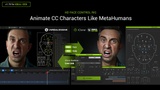
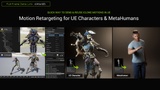
Motion Retargeting for UE Characters & MetaHumans
Transfer iClone facial and drive MetaHumans' talking animation
Sequencer creation and management
5. Timecode Sync *only for iClone 8
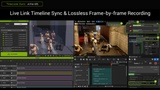
Live link timeline sync and lossless frame-by-frame recording
High performance crowd scene production
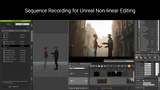
6. Sequence recording for Unreal non-linear editing.
▍MAJOR RELEASE NOTES
iClone Live Link 1.70 - New Updates for CC5
Compatible with CC4 characters (Extended Profile) and CC5 characters (HD Profile). More
Provides full MetaHuman facial control support on CC5 HD characters, including the Tweak pane, for precise editing and full compatibility with MetaHuman Animator. More
CC4.6 and CC5 exports support both UE4 and UE5 skeletons, with bind poses for UE5 MetaHuman and UEFN, ensuring precise animations and full MetaHuman body control compatibility. More
Explore CC & MetaHuman Interoperability
iClone Live Link 1.65
Supports UE 5.6
Unreal Live Link is now fully compatible with iClone 8.53 and the Timecode plugin.
iClone Live Link 1.64
Supports UE 5.5
iClone Live Link 1.6 - Watch Video
Assets are now directly sent into the Unreal Editor, eliminating the need for command line interactions.
Enhanced the asset transfer process to enable parallel processing between iClone and Unreal Engine. Regular iClone operations can proceed seamlessly while the transfer process is offloaded to Unreal Engine for import procedures.
New "Exclude Morph Target" options enables accelerated transfer of assets. This is particularly useful for crowd simulations where facial expressions and body morphs of highly-detailed characters are not required.
"Bake all animations to sequencer" can now be enabled for the "Include Motion" option under Scene Mode or motion-only transfer in Motion Mode. The transferred elements will be recreated and directly imported into the UE Sequencer. *currently not support light assets
If the "Camera" option is enabled when "Bake all animations to sequence" is executed, the camera and its motion will be sent to UE Sequencer.
When "Bake all animations to sequencer" command is executed, all adjusted Switcher Cam keys will be brought into Unreal Editor Sequencer as "Camera Cuts".
iClone Live Link 1.5
Look-at constraints can be driven by camera or animated objects, simulating different levels of alertness and engagement.
Dynamic Wrinkles add emotive details to digital human performances and enrich the expressions of stylized characters.
More GPU Power for Unreal Rendering.
iClone Live Link 1.4 - Watch Video
a. Data Link
New function for quick transfer of Unreal scene objects back into iClone. This allows for more accurate animation feedback and preview when editing the scene with Live Link.
Choose to export all the motion clips within a selected time frame when transferring iClone characters and objects.
New Transfer Motion mode automatically transfers animation for the character and objects within a UE project, instead of having to manually export and import FBX files.
Transferred meshes for a character/object of the same name and bone structure will automatically re-import the character/object while preserving its motion (animation asset); this is convenient for changing out the clothes, accessories, and various materials.
b. Timecode
Support for FPS-independent timecode transmission mode with Unreal Live Link to ensure accurate timing for animations.
*Data Link & Timecode sync only support iClone 8