Opis
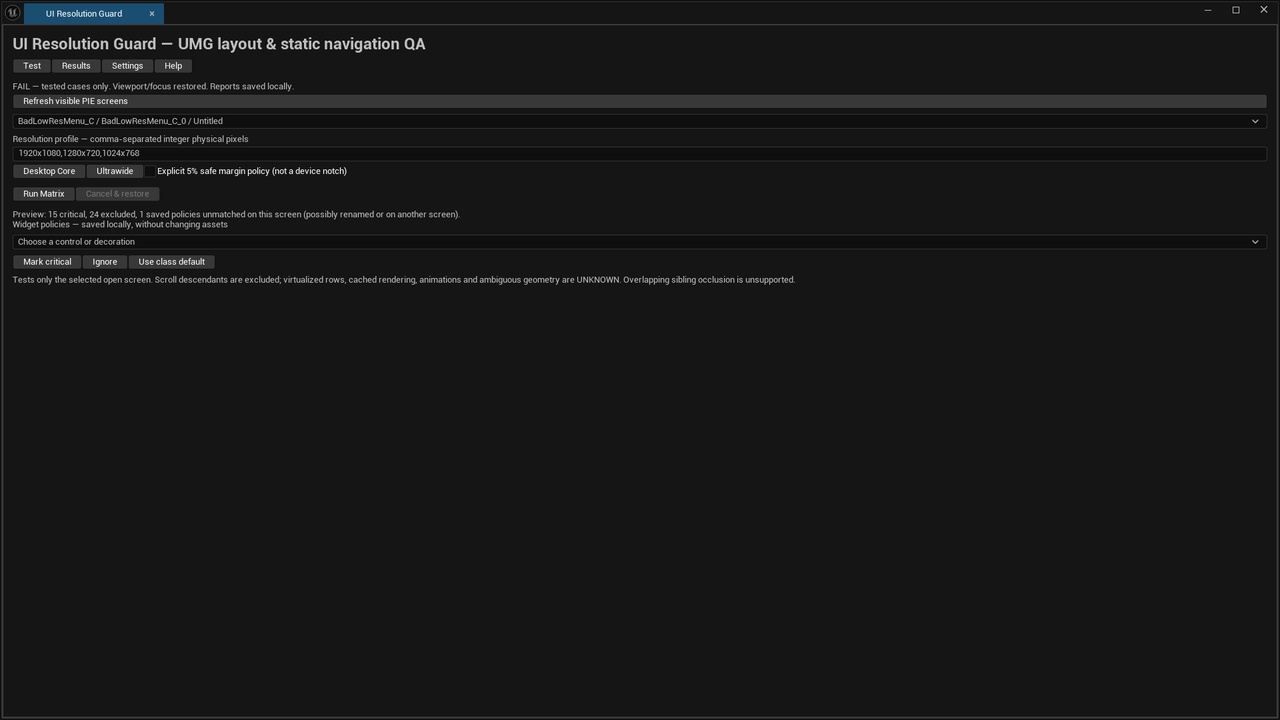
UI Resolution Guard is an Unreal Engine 5.8 editor plugin that helps developers identify off-screen buttons, layout problems and safe-area violations before releasing their games.
Instead of manually checking every resolution, run a repeatable test matrix and receive actionable results showing which UI elements need attention.
Key FeaturesMulti-resolution testing: Test your UI at multiple screen sizes, including 1920×1080, 1280×720 and 1024×768.
Off-screen detection: Identify critical UI controls that fall outside the visible viewport.
Safe-area validation: Check UI elements against configurable screen margins.
Actionable reports: View PASS, FAIL, WARN and UNKNOWN results with measured widget geometry.
Before-and-after comparisons: Identify resolved layout problems after making changes.
Custom test profiles: Save, import and export resolution profiles.
Widget policies: Mark important elements as critical or exclude specific widgets from checks.
Offline reports: Export HTML, JSON and CSV results for review and documentation.
Non-destructive: Scanning does not modify your Widget Blueprint assets.
Unreal Engine editor plugin with C++ source
Separate example project demonstrating a layout failure and its resolution
Quickstart guide and documentation
Example workflow video
Unreal Engine 5.8
Windows 64-bit Editor
Requires a compatible C++ compiler and Windows SDK for source installation
Uses separate-window Play In Editor (PIE)
No external accounts, subscriptions or internet connection required
UI Resolution Guard tests selected, visible UMG screens. It does not automatically discover every menu or game state.
Navigation analysis provides static checks, not automated gamepad or keyboard traversal. Some dynamically clipped, virtualized or unsupported widgets may produce UNKNOWN results.
The plugin is an editor-only development tool and does not add functionality to packaged games.
Find UI layout problems earlier, verify your fixes and release with greater confidence.