


Descripción
Asset Size Analyzer
✉️ Support Email: [email protected]
⚙️ Versions: UE 5.1 – UE 5.8
🔍 About
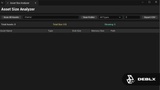
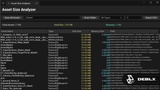
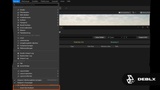
Analyze and visualize asset sizes directly inside your Unreal Engine project. Quickly identify large assets and optimize your project's memory footprint — sortable table view, asset type filtering, folder scanning, CSV export, Jump-to-asset — one click reveals any result in the Content Browser
🛠️ What it does
Comprehensive asset scanning — entire project or specific folders
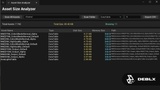
Smart filtering & sorting — by type, size thresholds, any column
Detailed size information — both disk size and estimated memory usage
Professional CSV export — one-click with full asset information
Native UI — fast and responsive
Zero setup — enable plugin and start analyzing immediately
🎯 Built for
Optimizing project size before shipping
Identifying oversized textures and meshes
Memory budget management and tracking
Asset audits and quality reviews
⚡ Get started
Enable the plugin in Edit → Plugins
Click Window → Asset Size Analyzer
Hit "Scan All Assets" to analyze your project (initial scan may take a few seconds on large projects — this is normal)
Sort and filter results to find what you need
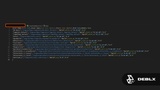
Click "Show in Content Browser" to locate any asset directly in your project
Export to CSV — no setup required, works immediately
📦 Supported Asset Types
Textures · Static & Skeletal Meshes · Materials & Instances · Sounds · Animations · Blueprints · C++ Classes · Niagara Systems & Emitters · and many more — automatically detects all types in your project
💬 Feedback & Support
Found a bug or have a feature idea? Reach out — we respond fast and ship fixes quickly. Feature requests are always welcome, many improvements come directly from the community.
🛒 Check out our other products → fab.com/sellers/Deblx
By Deblx
------------------------------------------------------------------------------------
🎵 Song: Elektronomia - Sky High [NCS Release]
🔗 Free Download / Stream: http://ncs.io/skyhigh
🔊 NoCopyrightSounds: https://www.youtube.com/c/NoCopyrightSounds
------------------------------------------------------------------------------------
#UnrealEngine #UE5 #GameDev #AssetSizeAnalyzer #Deblx #FAB #IndieGameDev #UnrealPlugin #Optimization