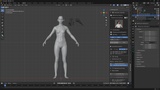
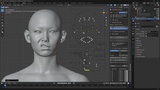
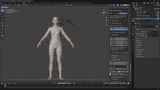
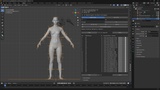
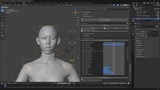
Opis
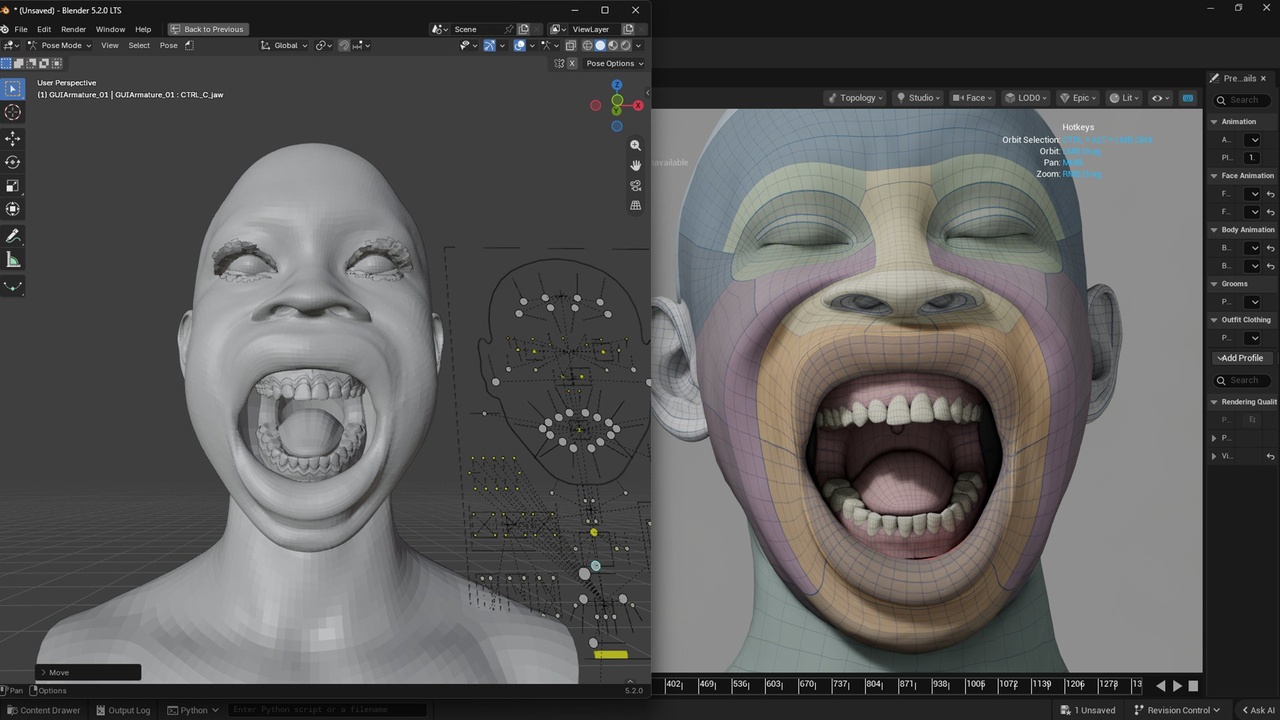
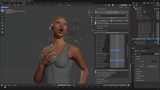
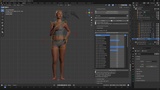
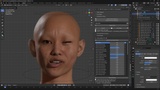
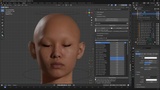
metabridge_dna is a Blender addon for importing and exporting Epic Games MetaHuman DNA files (.dna).
Full Import/Export of MetaHuman DNA files in Blender (supports DNA, FBX, and glTF).
Separate Head & Body management with multi-character slot saves that survive file reloads.
Advanced Face Rig board and real-time facial expression tracking driven straight from an iPhone (ARKit Live).
Enhanced Rigify body integration with a MetaHuman-matched 6-segment spine and custom Finger IK controls.
Experimental Body Blend pipeline to combine 39+ archetypes (including custom child bodies) with live weight updates.
Smart Wearables system for clothing/hair fitting, featuring a seamless Marvelous Designer round-trip (MD Live).
Live Corrective Sculpting on top of poses, with the ability to Write edited shape keys back to the .dna file for Unreal Engine.
Everything lives in a single MetaBridge DNA tab in the 3D Viewport sidebar (N panel). (Character assembly is integrated as the top section of the main panel.)
What's Newv2.0.0 — Now a Blender Extension, Marvelous Designer round trip, send corrections to Unreal, spine rebuild, face correction fixes
Now a Blender Extension
MetaBridge DNA is now a Blender Extension. Install it the way Blender expects: drag the .zip into Blender, or Edit ▸ Preferences ▸ Add-ons ▸ Install from Disk. Updating and removing work from that same place, like every other extension.
Passes Blender's extension checks cleanly — no warnings of any kind.
The addon no longer claims names for itself across the whole of Blender, so it cannot clash with another MetaHuman addon that carries its own copy of the same libraries. Both can now be installed at once.
Nothing about how you use the addon has changed. Everything sits in the same panels.
MD Live (NEW)
NEW: MD Live — its own panel, next to MetaBridge DNA. Make clothes on this exact character in Marvelous Designer and bring them back already wearing. See section 11.
Send Body to MD hands the character over as the avatar. Reshape the body, press it again, and the avatar is replaced — never doubled up.
No import window on the Marvelous Designer side, and nothing to type in: the character simply appears.
Import Garment from MD brings the finished clothes back at the right size, fitted to the character and following the rig immediately — the same as any other clothing.
Skip Stitches & Trims leaves out the topstitch, button and zipper meshes when Marvelous Designer exports them as separate pieces. When it exports the whole garment as one piece instead, hide them in Marvelous Designer before exporting.
Dressing a character is now roughly twice as fast — a step that reshaped the garment and left every vertex exactly where it was has been removed. This applies to all clothing, not just Marvelous Designer garments.
The panel shows the garment waiting to be imported and warns you when it is large enough to take a while.
Sizes and the shared folder are remembered, so the setup is done once and never again.
Write to DNA (NEW)
NEW: Write to DNA — a correction made on the head can now be written back into the character's .dna file and used in Unreal. Sculpted corrections are no longer Blender-only. See section 8.
NEW: Export Edited Shape Keys — pick one of the character's own expressions, sculpt it directly, and send the fixed expression back to the .dna.
NEW: Bake All Correctives — send every assigned correction in one click. Sending them one at a time used to keep only the last one.
A sculpt that spreads beyond the area the original expression covered is now written in full instead of being trimmed at the edges.
Live Corrective Sculpting
NEW: Head Driver Bone — a face correction can now be triggered by a head bone as well as by the expression controls. This is what fixes a custom head that breaks when the controls move.
NEW: Set Neutral — teaches a correction where the character's rest position actually is, so it settles back to 0 instead of holding a leftover value.
Face corrections now play back on their own. They previously worked only in Manual mode.
Fixed a correction sculpted on a posed face being applied twice, making the expression too strong when sent to the .dna.
Corrections no longer take a long pause on a full-resolution head.
Face rig
Fixed the tongue roll control being draggable downward with nothing happening — this character's DNA only rolls the tongue one way, so the control now stops where it runs out.
Hair and beards
NEW: Bind Hair To Head — hair or a beard that came from anywhere other than this addon's own Import Hair can now be attached to the character in one click. There was previously no way to do it; Retarget Hair only refreshed an attachment that already existed.
Hair now follows Body Blend. Changing the character's shape while a face control was selected used to leave the beard behind — it only kept up when nothing on the face was selected.
Retarget Hair now creates what's missing. It used to re-bind an existing Surface Deform and do nothing at all if there wasn't one.
Grooms imported from Alembic get their place on the head worked out automatically, instead of Blender refusing them with "invalid surface UVs".
When hair does not follow, the reason is now written to the console instead of the hair just sitting still.
Materials
material_defaults.json now actually applies. The file was being read into nothing, so every value in it was ignored — subsurface, alpha, roughness. Saving defaults silently failed for the same reason.
Transparent parts (eye shell, eyelashes, cartilage, saliva) now render see-through instead of solid.
Values are applied every time a character is assembled, not only the first time its materials are created.
Sharing files with other people
NEW: Relink DNA — opening a .blend someone else saved used to leave the character sitting there doing nothing, with no explanation. The character now says which .dna file it can't find and gives you a button to point it at the file on your own machine.
Your settings (the MetaHumans folder you last used, and so on) are now kept in one place per user instead of inside the addon folder. They survive updating the addon, they follow you between Blender versions, and they are never handed out with a copy of the addon.
Rigify body rig
NEW: Blender Rigify as a retarget source — bring an animation from a rig made with Blender's own Rigify onto this character. This addon's rig has a six-segment spine where stock Rigify has four, so the two can't simply be copied across; picking Blender Rigify in Source Type maps them properly. Works whether that animation used IK or FK. See section 5.
NEW: Finger IK — pose a finger by dragging a target at its fingertip instead of rotating each joint one at a time. All ten fingers, on a rig that normally has no finger IK at all. Each finger has its own slider, so a hand can hold a prop with some fingers planted on it and the rest posed by hand, and a finger can ease into a contact instead of popping onto it. Off by default, in Additional Options.
The spine now matches the MetaHuman skeleton, so the chest and spine controls turn the body from the right place instead of pushing it off to the side.
Fixed the wrist bending when the torso is rotated.
NEW: Heel Pivot ON/OFF button — rotating the foot control upward no longer pulls the foot away from the controller. Heel pivot is off by default and can be switched on when you want it.
IK Stretch and Heel Pivot moved into a collapsible Additional Options section below Remove Rigify Rig, out of the way of the main build steps.