Beschreibung
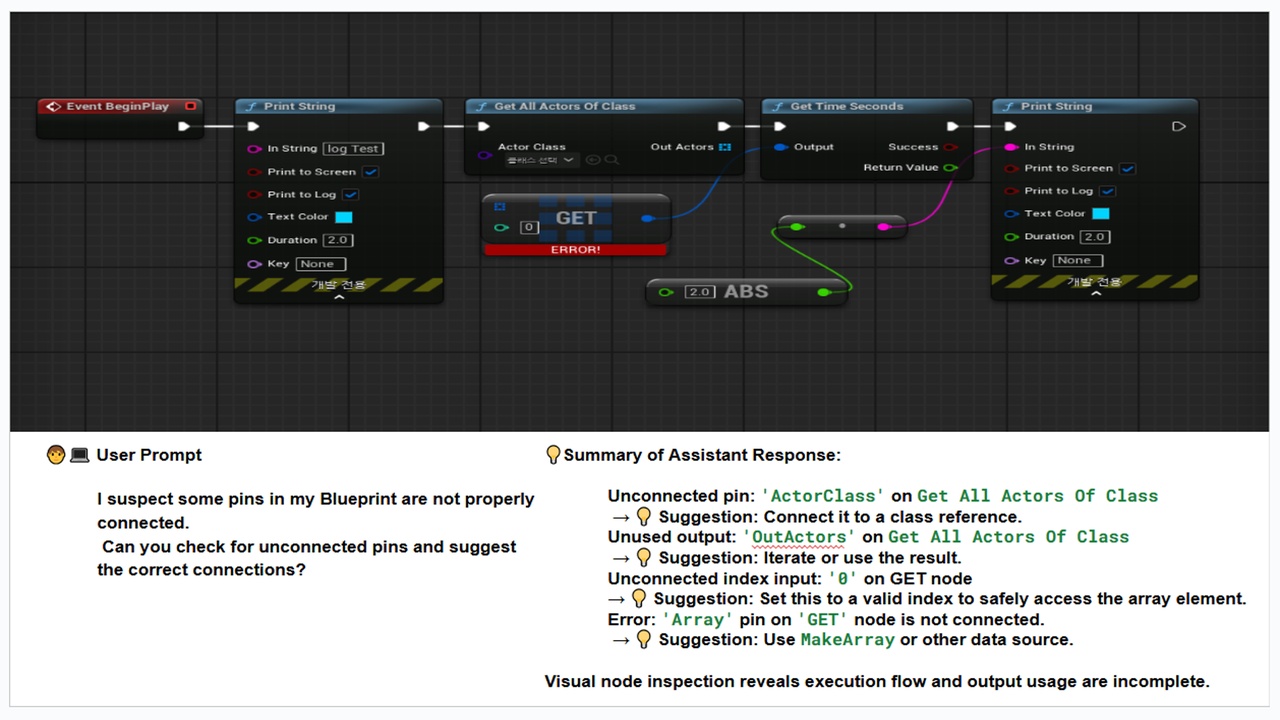
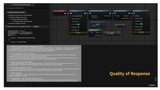
This AI plugin for Unreal Engine 5 uses OpenAI’s GPT to enhance your Blueprint debugging experience.It automatically analyzes Blueprint structures—including node connections, pin types, and errors—and provides instant, intelligent feedback directly in the editor. 🔧Perfect for developers looking to save time, reduce debugging fatigue, and optimize large or complex Blueprints.
🎮 Key Features & Use Cases
📊 Auto-Sync Blueprint Data to GPT✔️ Automatically extracts selected Blueprint data and sends it to GPT for context-aware analysis.✔️ Includes node types, connections, pin directions, parent class info, compilation logs, and error messages. 🔧
🎯 AI-Powered Debugging Accuracy✔️ GPT delivers higher-quality suggestions by understanding your Blueprint’s structure.✔️ Offers fix recommendations and improvement tips within seconds.
🔗 Node Flow & Cleanup Assistance✔️ Analyzes node connections to detect errors and unused nodes.✔️ Helps clean up messy graphs and optimize Blueprint performance.
⚡ Disconnected Pin & Connection Error Detection✔️ Instantly highlights unlinked pins or incorrect connections.✔️ GPT suggests corrections based on structure and your prompt.
🧠 Optimized for Complex Blueprints✔️ Handles large-scale graphs efficiently.✔️ AI can spot deeply nested logic issues that are hard to find manually.
🔍 Structured Data Sent to GPT 🔧
📘 Parent Class
📌 Node Type & Class
🔗 Pin Directions & Links
🛠️ Compilation Logs & Errors➡️ All of this helps GPT deliver smarter, more accurate debugging feedback.
🎯 Who Should Use This Plugin?
✅ Unreal Engine Developers Seeking Productivity Boost✔️ Automate repetitive tasks like error tracing and pin validation.✔️ Debug smarter, not harder.
✅ AI-Driven Workflow Enthusiasts✔️ Use GPT inside UE5 without copy/pasting to ChatGPT.✔️ Access GPT results directly in the editor.
✅ Teams Working on Large Blueprint Graphs✔️ Simplify complex debugging workflows.✔️ Use structured feedback to clean and improve your graphs.
✅ Beginner-Level Blueprint Users✔️ Learn best practices through GPT-guided suggestions.✔️ Understand why an error is happening and how to fix it.
🎮 Why It’s Better Than Copy-Pasting into ChatGPT 🔧😌 No need to explain your Blueprint every time🧠 GPT already knows your nodes, pins, and context🚀 Debug inside Unreal without switching tabs🔄 Click, send, and see the fix – all within UE5✅ Easy-to-use UI with toggleable data options
📺 Demo VideoWatch it in action:👉 https://youtu.be/ehj_Bh5FRuA
📄 DocumentationQuick start guide, setup steps, and more:👉 https://docs.google.com/document/d/1QYcLHZ1qxg2rMjqAXlJyHKg02QY1sjPia9RCj_g9iF0