Description
Generate complete 3D scenes from text descriptions using AI, directly inside Unreal Engine 5. Describe a scene in natural language and Unrealy orchestrates multiple AI providers to produce fully textured 3D objects with PBR materials, ready to use in your project.
Two built-in tools:
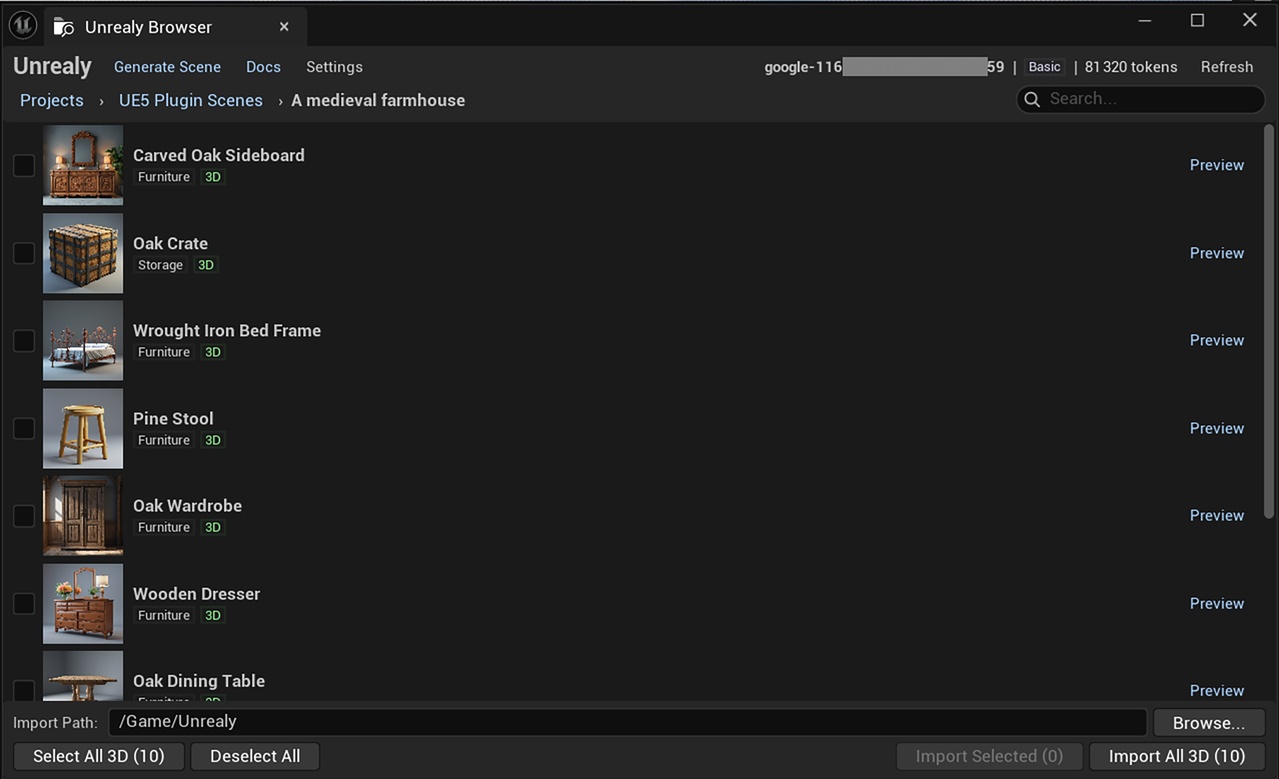
Unrealy Browser — Browse your Unrealy projects and scenes, preview objects with thumbnails, and import FBX assets with PBR textures into your project with one click.
Unrealy Generator — Generate complete 3D scenes from text prompts without leaving UE5. Describe your scene (e.g., "a medieval village with a tavern, blacksmith, and market stalls"), configure options, and watch as AI generates details, concept art, and 3D models step by step.
Key Features:
One-click import of all FBX objects from a scene
Built-in scene generator with text-to-3D pipeline
Per-object import selection
PBR textures automatically downloaded and applied (albedo, normal, roughness, metallic)
Secure API Key authentication
Multiple AI providers: Meshy v5/v6, Hunyuan3D, Leonardo, and more
Token cost estimation before generation
Real-time generation progress tracking
Requirements:
Unreal Engine 5.3 or higher
Windows 10/11 or macOS
Unrealy account (free tier available at unrealy.ai)
API key (generated in Settings > API Keys)
How it works:
Create an account at unrealy.ai and generate an API key
Install the plugin in your UE5 project
Use the Generator to create scenes from text, or the Browser to import existing scenes
All assets are imported as FBX with full PBR materials
Pricing: The plugin is free. Scene generation uses Unrealy tokens.