









Description
Current version: 2.06
Unreal Engine: 4.27 and 5.0–5.8
Adaptive Pathfinding System (APS) lets you shape AI routes while keeping your existing AI MoveTo or Behavior Tree Move To. Give each agent a different bend, choose a smooth or wavy path, and adjust lateral offset around turns.
APS builds paths on Unreal’s Recast NavMesh, including walkable slopes, stairs and changes in elevation. No engine source modifications are required.
Path controls
Arc Strength controls the direction and amount of the bend.
Midpoint Mode selects Smooth Curve or Wavy / Humps.
Num Mid Points adjusts the curve profile or wave count. It is not the final path-point count.
Lane Offset changes lateral spacing around turns and maneuvers. The available NavMesh constrains the result.
Return these values through APS_MoveToInterface on the moving Pawn or XAI actor. Change them for patrol, pursuit, or other AI states; the next path request uses the current settings.
Additional features
Select Unreal’s default Recast search, APS Low-Level Tiles, or APS Low-Level Tiles + Arc on APS_NavigationData.
Find Custom Path accepts your own world-space route. Your code handles its validation.
Inspect generated routes with path lines, points, navigation logs and the runtime overlay.
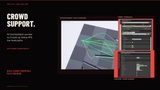
APS provides corridor options for Unreal’s Detour Crowd. Use APS_AIController when Crowd agents need to follow curved path points more closely. For XAI, select APS_NavigationData and use XAI’s navigation-based MoveTo.
Setup and examples
Your level needs a working NavMesh and an agent with navigation-based movement. Select APS_NavigationData for the agent and set the Character Movement component’s Preferred Nav Data to APS_NavigationData.
The documentation includes setup screenshots, node diagrams, interactive Arc and Lane Offset previews, and five Blueprint examples: random arc initialization, timer-based rerouting, waypoint patrols, AI-state profiles and custom routes.
Documentation · Blueprint examples · Trailer v2.0 · Discord support